Author: Bolakale

  • Buying a Used iPhone in 2025? How to Avoid Getting Scammed

    The iPhone is expensive, let’s be honest: not everyone has ₦2M+ sitting around for the latest iPhone 16 Pro Max with space-grade titanium and Apple Intelligence this-and-that.

    That is where the used iPhone market, the used market is where deals are sweeter, wallets breathe easier, and you can still flex with an Apple logo or the three camera lenses.

    But before you hit that “Buy Now” button on a “UK used iPhone” from some random Instagram vendor, pause. The used iPhone game in 2025 isn’t as simple as it used to be. We have done a version for phones generally

    Here’s what you need to know so you don’t get played.

    Step 1: iPhone Battery Health is Everything

    Used iPhone sellers will show you the shiny outside, but what’s going on inside the battery is where the real drama lies.

    • Go to Settings → Battery → Battery Health & Charging.
      Look for “Maximum Capacity.” Anything below 85%? You’ll need to charge twice a day. Below 80%? Budget for a replacement battery.
    • Battery replacement can cost anything between ₦70k–₦100k. That “cheap” deal could cost more later. When in doubt though, you can reach out to Ogabassey repair via Instagram and we will get your battery sorted.

    Pro tip: Ask for a screenshot of battery health before buying. If they hesitate? 🚩🚩🚩

    Step 2: Network Lock & Region Warnings

    Chip unlocked phones are not bad

    • Factory Unlocked is what you want. It works with any SIM card, anywhere.
    • Avoid “R-SIM unlock” or “GPP unlock” devices—they can work, but are unreliable after iOS updates.
    • Also beware of Japanese models—they take blurry photos with that shutter sound that never goes away (yes, it’s real).

    When in doubt, ask the seller:

    “Is this factory unlocked and free of iCloud and carrier lock?”

    If they say anything other than “Yes” followed by a screenshot—walk away.

    Step 3: Verify It’s Not Stolen or iCloud Locked

    This one’s huge. Buying an iPhone that’s iCloud-locked is like buying a car with no keys. You’ll never use it.

    Always check the Activation Lock status. Here’s how:

    1. Ask the seller to go to Settings → General → Transfer or Reset iPhone.
    2. Tap Erase All Content and Settings.
    3. If the phone asks for a password after reset, it’s still iCloud locked. Don’t buy it.

    Bonus: You can also check the IMEI number on Here

      Just don’t skip this.

    Step 4: Inspect the Phone Physically (Even Virtually)

    Ask for clear pictures or videos of:

    • The screen (look out for green lines, dead pixels)
    • The back and camera lens (any cracks?)
    • The frame and ports (dents can mean drops)
    • The Face ID or Touch ID (test it—many used iPhones lose this after shady repairs)

    If you’re buying in person, test everything. If online, get a video walk-through or a trusted middleman.

    Final Tips Before You Buy

    • Buy from a known or recommended seller like Ogabassey. Reputation matters more than a ₦10k discount.
    • Check the serial number on Apple’s site to confirm warranty status and specs here.

    Quick Checklist for Buying a Used iPhone in 2025:

    • Battery health is 85% or above
    • It’s factory unlocked
    • No iCloud lock
    • No hardware damage (camera, Face ID, screen)
    • Seller provides receipts or return option

    Buying a used iPhone in 2025 isn’t a bad idea, it’s often the smartest move if you’re on a budget. But in a market full of fakes, locks, shady resellers, and half-dead batteries, you need to shop smart or get scammed fast.

    Do your homework. Ask questions. Don’t let “UK used, clean as new” blind you.

    Because in this economy, every naira counts—and your next phone shouldn’t be a regret.
  • Galaxy Unpacked July 2025: What to Expect from Samsung’s Great Foldables, Wearables, and AI

    Samsung’s annual Galaxy Unpacked event returns on July 9th, 2025, in Brooklyn, and expectations are sky-high. From refined foldables to powerful AI features and a few surprise reveals, this year’s showcase is shaping up to be one of Samsung’s most ambitious yet.

    If you’re considering an upgrade or just curious about where mobile tech is headed, here’s a breakdown of the devices and innovations Samsung is expected to unveil — and why it matters.

    Galaxy Z Fold 7 – The Flagship Fold Gets Even Smarter

    Samsung is expected to introduce a significantly redesigned Galaxy Z Fold 7, possibly with an “Ultra” variant. The key improvements? A thinner design, larger internal display, and enhanced AI features built directly into the experience.

    What we’re hearing:

    • Sleeker form factor – slimmer when folded, more comfortable to carry.
    • Expanded inner screen – likely growing to 8.2 inches for better productivity.
    • Camera upgrades, including a potential 200MP main sensor (borrowed from the Galaxy S25 Ultra).
    • Snapdragon 8 Gen 3 or Exynos 2500 chip, depending on the region.
    • Deeper Galaxy AI integration with tools for real-time summarization, live translation, and photo editing.
    galaxy unpacked 2025 event confirmed

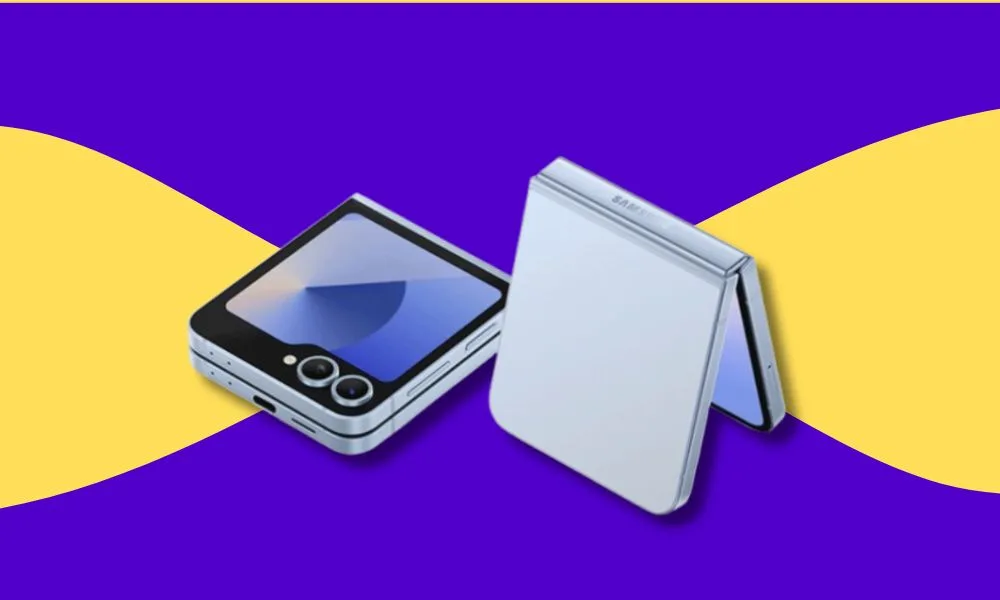
    Galaxy Z Flip 7 – A Stylish Update to a Fan Favourite

    The Galaxy Z Flip 7 is expected to receive thoughtful refinements rather than a complete overhaul. Expect:

    • Larger cover display (around 4 inches), offering more functionality without unfolding.
    • New colours including Blue, Coral, and Black.
    • Performance upgrade via the new Exynos 2500 processor.
    • AI capabilities such as enhanced voice dictation, photo clean-up, and contextual suggestions.

    It’s shaping up to be a smarter, more refined version of one of Samsung’s best-selling foldables.

     Galaxy Z Flip 7 FE – Making Foldables More Accessible

    For the first time, Samsung may introduce a Foldable Fan Edition (FE) the Z Flip 7 FE targeted at budget-conscious consumers.

    Expected features include:

    • A slightly smaller and simpler display setup.
    • Mid-tier processor (possibly last year’s Exynos chip).
    • 8GB RAM and 128GB storage base model.

    This could be Samsung’s move to bring foldable phones to the mainstream at a more affordable price point and it’s one worth watching.

    Galaxy Watch 8 Series – Fitness, Wellness, and Beyond

    Samsung’s upcoming Galaxy Watch 8 series is also expected to make an appearance. Early reports suggest:

    • A more efficient Exynos W1000 chipset.
    • Improved battery life and performance.
    • Tighter integration with Galaxy AI for wellness tracking, sleep coaching, and personalised health insights.
    • A potential Watch Ultra with rugged design and pro-grade sensors.

    This is part of Samsung’s continued investment in its wearable ecosystem and the AI-driven features might finally set it apart.

    Galaxy Buds Core – New Budget Option for Wireless Audio

    While information remains limited, Samsung may also introduce the Galaxy Buds Core a more affordable pair of wireless earbuds designed for everyday use. We’re expecting:

    • Clean audio experience.
    • Long battery life.
    • Possibly no Active Noise Cancellation to keep costs down.

    Project Moohan – Samsung’s XR Future on Display?

    Samsung is rumoured to tease Project Moohan, its mixed-reality headset co-developed with Google and Qualcomm (the Android platform’s response to Apple’s Vision Pro). While it may not launch at this event, we might see a sneak peek or developer-focused preview.

    With Apple’s Vision Pro already in the wild, Samsung will likely want to plant its flag in the AR/VR space soon.

    One UI 8 and Galaxy AI: The Software That Ties It All Together

    This year’s event isn’t just about hardware. Samsung is set to unveil One UI 8, based on Android 16, with Galaxy AI at its core. Expect:

    • Smarter multitasking on foldables.
    • Live translations, note summaries, and voice command enhancements.
    • On-device AI that helps with productivity, creativity, and personalisation without needing a constant cloud connection.

    Samsung’s goal is clear: make AI feel like a natural part of your everyday mobile experience.

    A Major Evolution, Not Just an Upgrade

    Samsung’s July 2025 Unpacked event feels less like a product refresh and more like a redefinition of its mobile future. Foldables are getting slimmer and smarter. Wearables are becoming more capable. And Galaxy AI is emerging as the software glue that ties it all together.

    Catch the livestream on July 9th via Samsung.com or on YouTube. Don’t forget to check back, we’ll break it all down, including pricing, availability in Nigeria, and which devices are worth your money.

  • Samsung Galaxy S21 Ultra in 2025: Powerful Enough or Just Hanging On?

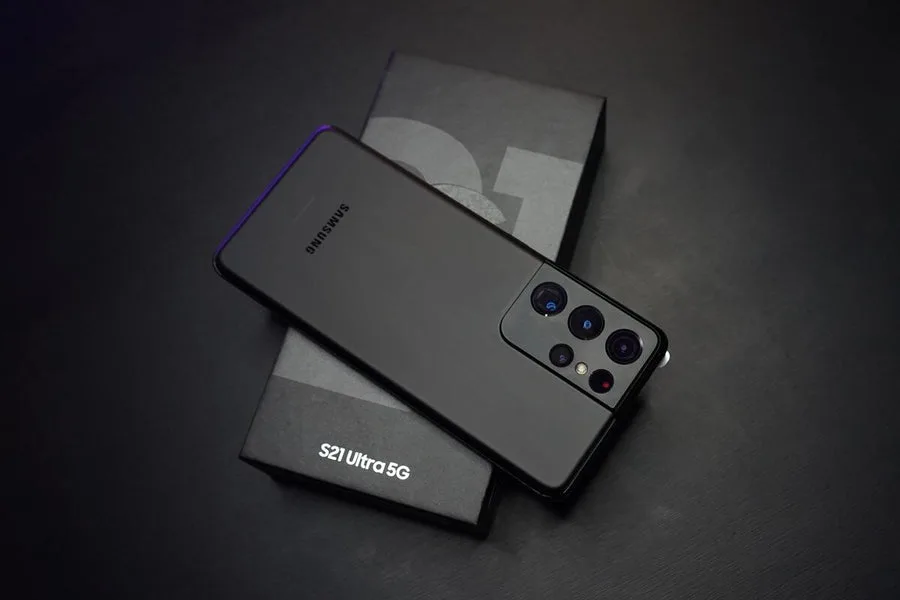
    The Samsung Galaxy S21 Ultra in 2021 was Samsung’s flex; loaded with four cameras, a silky-smooth 120Hz AMOLED display, and enough zoom to reach for the moon, a modern design that corrected the shortcomings of its predecessor. It was the flagship to beat. We found it a compelling choice last year

    Fast-forward to 2025, and the question is: Is the S21 Ultra still a powerhouse… or is it now just surviving off vibes and old glory?

    Let’s break it down for anyone considering a used or refurbished unit or holding onto one and wondering if it’s time to upgrade.

    Samsung Galaxy S21 Ultra Performance in 2025: Surprisingly Snappy

    Let’s start with the good news.

    If you’re rocking the Snapdragon 888 variant (or Exynos 2100, if you’re unlucky), the S21 Ultra still handles everyday tasks with minimal fuss.

    Multitasking? Smooth.
    Social media? No lag.
    Gaming? Still plays most AAA mobile titles on high settings.

    Sure, it’s not as efficient as newer 4nm chips, but it hasn’t aged as poorly as some feared. As long as you’re not expecting AI-generated wallpapers or ChatGPT embedded into your home screen, it’s still a beast.

    Cameras: Still Got It…Mostly

    That 108MP main sensor? Still crisp. The 10x periscope zoom? Still unmatched in many mid-range phones today.

    • Daylight photos are sharp, dynamic, and Instagram-ready.
    • Low light? It’s holding up—though newer Galaxy phones like the S23 Ultra and S24 Ultra now lead in night mode sharpness.
    • Zoom? Still better than most 2025 phones under ₦500k.

    For content creators on a budget, this phone is still great especially for travel shots, TikToks, and casual vlogging.


    Battery Life on the Samsung Galaxy S21 Ultra: Not Bad… But You’ll Notice the Age

    Here’s where time starts showing.

    • The original 5000mAh battery can now feel more like 4000mAh, especially if you bought the phone second-hand.
    • Heavy use (gaming, mobile hotspot, 5G) drains it faster than newer models with better efficiency.

    You’ll likely need a midday top-up unless the battery was replaced recently. And no, it still doesn’t come with a charger in the box (thanks, Samsung).

    anh nhat uCqMa s JDg unsplash 1 905x600 1
    Samsung Galaxy S21 Ultra

    Design: Premium, Even in 2025

    The Samsung Galaxy S21 Ultra still looks expensive.

    • Gorilla Glass Victus, curved edges, and that signature Phantom Black finish? Still holds up next to newer flagships.
    • It feels like a high-end phone, because it was.

    Plus, it’s one of the last “Ultra” models without an S-Pen silo, which is a win for people who don’t want their phone pretending to be a notebook.

    Software: Hanging On… Just Barely

    The biggest concern? Software support.

    • The S21 Ultra shipped with Android 11. As of 2025, it’s capped at Android 14 with One UI 6.
    • Samsung gave it three OS updates and four years of security updates—so it’s either just ending or already ended depending on your variant.

    That means:

    • No more major Android updates.
    • Security patches might stop anytime.
    • Some apps might gradually start misbehaving (especially banking or business apps).

     If privacy and app stability matter to you long-term, this might be a deal-breaker.

    Should You Still Buy It in 2025?

    If you’re eyeing a refurbished Samsung Galaxy S21 Ultra for under ₦500,000 , it’s a steal for the right user.

    Who it’s forWho should avoid it
    ✅Content creators on a budget❌ Power users who want latest AI features
    ✅ Users upgrading from older phones (S10, A series, iPhone 11)❌ Anyone concerned about long-term software support
    ✅ Anyone who still values physical phone design over specs❌ People who want insane battery life or stylus support

    Final Verdict: A Living Legend (But on Borrowed Time)

    If you find one in good condition and your needs are simple, grab it. Otherwise? Look at newer Galaxy S23/24 models or jump to something like the Pixel 7 Pro or iPhone 13 Pro Max.

  • AirPods 4: The Earphones Nigerians Love

    Apple has pushed wireless audio to the next level with the all-new AirPods 4, now available in Nigeria on ogabassey.com. With both a standard version and one featuring Active Noise Cancellation (ANC), this guide will help you choose the best fit for your lifestyle, budget, and tech needs.

    What’s New About the 4th-Gen AirPods?

    • Sleeker open-ear design with shorter stems for a more secure, comfortable fit
    • Enhanced audio with custom drivers and high dynamic range amplification
    • Smarter listening thanks to the advanced H2 chip
    • Optional ANC, Transparency, and Adaptive Audio modes
    • Wireless, USB-C, and Apple Watch charging (ANC version)
    • Up to 30 hours of total battery life with the case

    👉 Grab the latest AirPods exclusively on Ogabassey.com

    Standard vs ANC: Which AirPods 4 Should You Get?

    Both versions are stellar, but here’s the breakdown:

    Standard vs ANC: Which AirPods 4 Should You Get?
    • AirPods 4 (Standard): For everyday listeners who want great sound, seamless pairing, and comfort.
    • AirPods 4 ANC: Designed for commuters, travellers, and anyone who wants smart noise control and immersive spatial audio.

    🔥 See AirPods 4 ANC on Ogabassey


    You can also read our combined comparison of AirPods 3 vs 4 vs Pro vs Pro 2

    Fit & Comfort: Designed Around Real Ears

    Using over 50 million ear scans, Apple refined these earbuds for better grip, airflow, and comfort. You’ll barely notice you’re wearing them even during a long commute or workout.

    How Good Is the Noise Cancellation?

    The ANC version packs powerful ambient noise reduction through inward and outward-facing microphones. It’s intelligently adapting to your environment, not just blocking sound. Very ideal for Lagos traffic or noisy cafés.

    Sound Quality: Feel Every Note

    With redesigned internals, the AirPods 4 deliver deeper bass, crisp highs, and less distortion. Features like Spatial Audio and head tracking make movies, music, and FaceTime calls more dynamic than ever.

    Will They Work With Android or PC?

    Yes — pairing with Android phones or Windows laptops is fast and easy via Bluetooth. But for the best experience (auto-switching, Find My, audio sharing), pair with Apple devices.

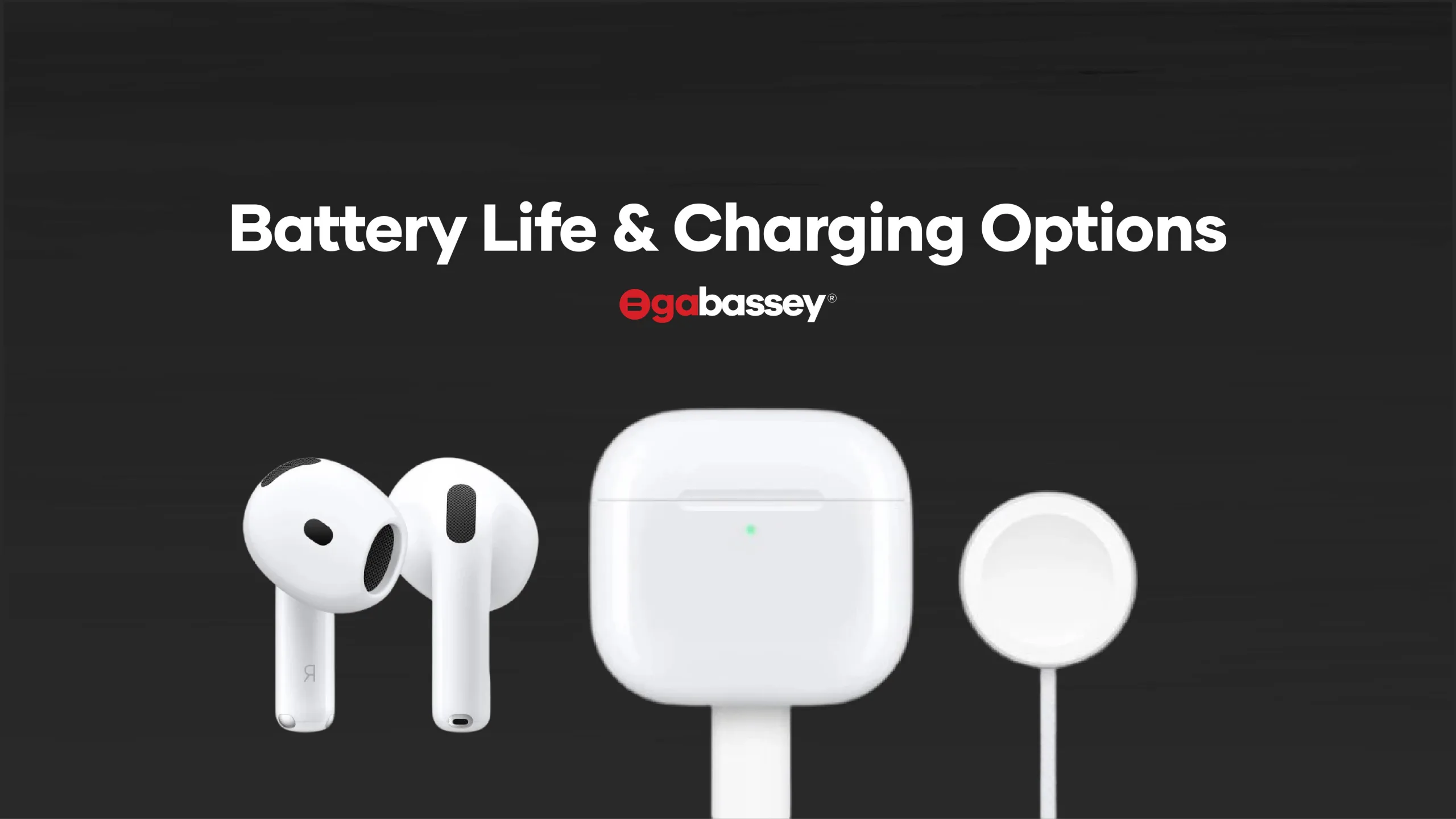
    Battery Life & Charging Options

     Battery Life & Charging Options
    • Standard model: USB-C charging only
    • ANC model: USB-C, wireless, MagSafe, and Apple Watch compatibility
    • 5 hours listening (4 hours with ANC on)
    • Quick charge: 5 minutes = 1 hour of play

    Lost Your Case or Buds? Find Them Fast

    Thanks to Apple’s Find My integration and the built-in speaker on the ANC model’s case, locating your lost AirPods 4 is easier than ever. Whether they’re under your couch or left behind at the gym, you can ping them directly from your iPhone and hear a sound to guide you right to them.

    Can They Handle Sweat or Rain?

    Yes — they’re IP54 rated, meaning they’re sweat-resistant and splashproof. Perfect for gym sessions or sudden rain, but not for swimming.

    Current Price of AirPods 4 in Nigeria

    On Ogabassey.com, you’ll get fair pricing, local warranty, and optional EasyBuy instalment plans:

    Expect ₦300,000 – ₦400,000 depending on variant and demand.

    Why Nigerians Trust Ogabassey for Tech

    • ✅ 100% Genuine Apple Products
    • 🚚 Nationwide Delivery
    • 💳 EasyBuy Instalment Plans
    • 💬 Responsive Support Team

    Final Take: Are They Worth It?

    If you want to enjoy better sound, smarter features, and seamless usability in 2025, go for it. AirPods 4 are a solid investment, and Ogabassey.com is the smartest place to shop.

    🎯 Buy AirPods 4 Now – Only on Ogabassey.com

    And When the next Airpods 5 come out. You can always come and swap with us.

    Thanks for Reading

    Ogabassey Never Disappoints!

  • Snapdragon X Elite Laptops: The Big Swing That Missed in 2025

    When Qualcomm first unveiled the Snapdragon X Elite, it was hyped as a game-changer, a sleek, AI-powered chip ready to dethrone Apple’s M-series and give Intel and AMD a run for their silicon, we even bought into the hype with our review here. Think ultra-long battery life, whisper-quiet performance, and next-gen AI magic all baked into razor-thin Windows laptops.

    But fast-forward to mid-2024, and the buzz has fizzled. Instead of shaking up the laptop world, Snapdragon X Elite laptops have landed with a thud, met with mixed reviews, high return rates, and a growing list of frustrated users wondering if they bought into another tech industry overpromise.

    So, what went wrong? And more importantly, should you still buy one?

    Let’s break it down.

    Snapdragon X Battery Life: Great, Until You Use It Differently

    On paper, battery life was a headline feature. Snapdragon X Elite laptops boasted all-day endurance, and in light usage; browsing, emails, writing, they actually delivered. Some reviews clocked 10–11 hours comfortably.

    But that’s where the good news ends.

    • Turn up the brightness? Use a higher refresh rate? Connect an external display? Suddenly, battery life dips to just 4–6 hours.
    • Compared to Apple’s M2, M3 and M4 chips, which maintain great battery life under pressure, Qualcomm’s chip needs more babysitting.

    If you’re constantly on the move and only use lightweight apps, it’s still decent. But for most users, it doesn’t match the “MacBook killer” promise.

    Graphics and Gaming: Don’t Even Bother

    Snapdragon X Elite’s CPU can keep up with many mid-range Intel and AMD chips in productivity tasks. But once you fire up anything graphics-heavy; games, 3D modelling, or even certain editing software, it stumbles badly.

    • Frame rates in popular games like Fortnite and even the less-demanding CS:GO hover around unplayable levels, even at the lowest settings.
    • Titles that rely on x86 compatibility either don’t run at all or crash frequently due to poor emulation.

    App Compatibility: The Real Dealbreaker

    One of the biggest issues with Snapdragon X Elite laptops? Many apps still don’t run properly.

    • Some popular apps (like certain versions of Adobe, OBS, and even Steam) don’t yet have native ARM versions.
    • Emulation through Qualcomm’s Prism layer works in some cases but introduces bugs, lag, or outright crashes in others.
    • Tech reviewers and everyday users alike report having to return their laptops because key apps wouldn’t launch or function correctly.

    Amazon even flagged Snapdragon-powered Surface laptops as “frequently returned” a label you never want to see on a premium tech product.

    Who Is the Snapdragon X Elite Actually Good For?

    Not all hope is lost there are still a few use cases where this chip shines.

    Writers, students, and remote workers who live inside browsers, Microsoft Office, Zoom, and the occasional Canva project? You’ll be fine. Battery life is solid, fans barely spin up, and the laptops look premium enough to pull out in a Domino Pizza outlet.

    Content consumers: if you mostly stream Netflix, scroll Twitter, and handle emails, these laptops are cool, quiet, and portable.

    Developers, designers, gamers, and tinkerers look away. If your work depends on very specific apps, x86 programs, or GPU-heavy software, the Snapdragon X Elite just isn’t ready for you yet.

    Snapdragon-powered laptops feel like early-access tech: impressive on some fronts, frustrating on others, and not quite baked for the mainstream.

    The Pricing Problem: Premium Laptops with Prototype Vibes

    Another head-scratcher? The price.

    Most Snapdragon X Elite laptops launched above ₦1,000,000 putting them in direct competition with:

    • Apple’s M2 and M3 MacBook Airs (which run circles around them in efficiency and compatibility),
    • Intel Core Ultra and AMD Ryzen AI laptops, which now match Snapdragon on battery and outperform them on almost everything else.

    So, when consumers pay premium prices but get patchy software support and mid-tier performance, it’s no surprise they return them in droves.

    But What About AI?

    Snapdragon X Elite was supposed to usher in a new era of “AI PCs”—with Microsoft Copilot+ integration, real-time transcription, on-device AI editing, and all that futuristic flair.

    Here’s the catch:

    • Most of these AI features are still in progress or barely useful in real-world scenarios.
    • Copilot+ demos looked cool, but consumers quickly found they’re more marketing than magic.
    • If you were expecting ChatGPT-level genius baked into your laptop… not quite. Yet.

    There’s potential but it’s not the sci-fi productivity leap it was sold as. At least not in this first generation.

    Snapdragon X Elite vs. M2/M3 MacBooks

    Let’s break it down plain and simple:

    FeatureSnapdragon X EliteApple M2/M3
    Battery LifeGood, with tweaksExcellent out of the box
    PerformanceDecent CPU, weak GPUBalanced, consistent
    CompatibilityLimited app supportWide, seamless
    AI FeaturesPromising, not matureMinimal but stable (with more with the upcoming Tahoe 26)
    EcosystemWeak (ARM on Windows)Strong (Apple devices play nice)
    PricePremiumAlso, premium but worth it
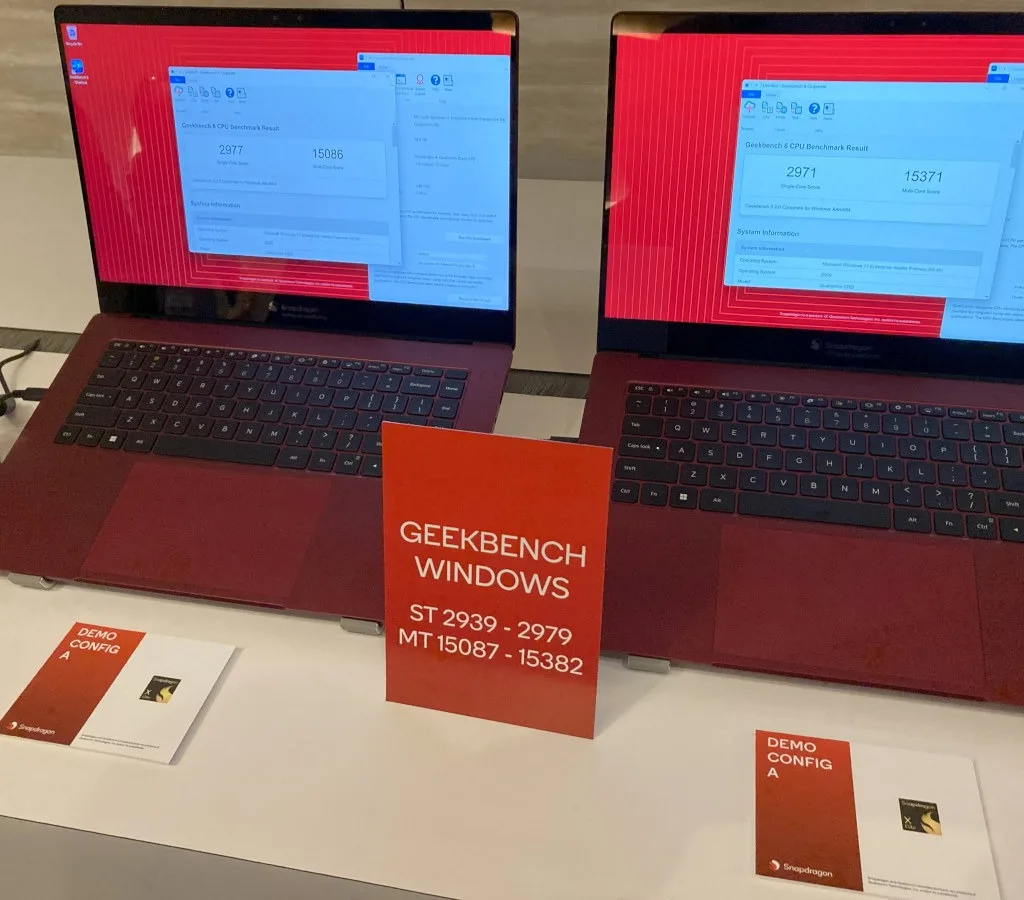
    Snapdragon X Elite reference laptop 23W vs 80W

    Verdict: Unless you’re a diehard Windows fan who only uses Microsoft apps, you’re likely better off with a MacBook in 2025.

    What’s Next for Snapdragon Laptops?

    Qualcomm isn’t backing down. A second generation of Snapdragon X is already rumoured for late 2025, with:

    • Better single-core speeds,
    • Improved GPU power,
    • And hopefully real software and app support.

    If they pull it off, Snapdragon laptops might finally be ready for the big leagues.

    But for now?

    They’re a cool tech flex, not a must-buy.

    Final Thoughts: Should You Buy One?

    Let’s keep it real. The Snapdragon X Elite isn’t a total flop; it’s just not the revolution it was hyped up to be.

    Buy one only if:

    • You understand what you’re getting,
    • Your workflow is light and web-based,
    • And you love being on the bleeding edge of tech.

    Otherwise, you’re better off grabbing a MacBook Air M4, M3 or even the older M2, a reliable Intel Evo laptop, or waiting for Snapdragon’s next move.

    This was Qualcomm’s shot at breaking the Intel-AMD-Apple triangle… but they’ll need another round in the ring to actually land a hit.

  • Tecno Camon 40  Pro: Powerful, Sleek, Smart & Water-Ready

    The Tecno Camon 40 Pro, launched in March 2025, stands out as a remarkably well-rounded mid‑range smartphone, offering features you would typically expect from much pricier flagships, yet priced at around ₦364,300. In a world where midrange devices skim on the bigger features that are reserved for the flagships, Tecno Camon 40 Pro brings a taste of the bells and whistles reserved for its more expensive siblings like this Phantom Flip. But is it worth the price? Are there must-have features that have been overlooked?

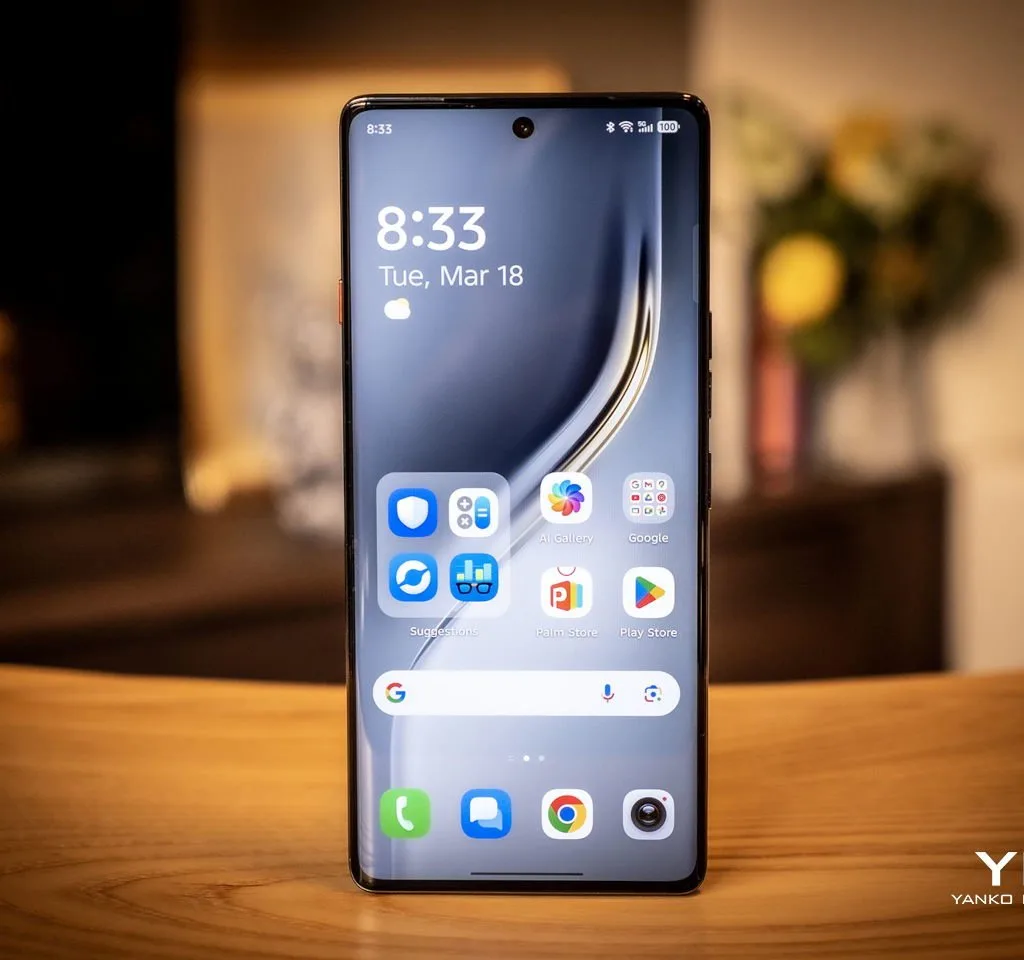
    tecno camon 40 pro 5g review 05

    Key Specs at a Glance

    Display: 6.78″ curved AMOLED, FHD+, 144 Hz refresh, Gorilla Glass 7i

    Processor & Connectivity: MediaTek Dimensity 7300 (4 nm), supports 5G (14 bands)

    Memory: Up to 12 GB + 12 GB virtual (total 24 GB) RAM, 256 GB storage

    Tecno Camon 40  Pro Cameras:

    Rear: 50 MP Sony LYT‑700C (main, OIS), 8 MP ultrawide

    Front: 50 MP selfie with autofocus

    Video: 4K @ 60 fps

    Battery & Charging:

    5,200 mAh, 45 W fast charge (~43 min to 100%)

    Build: Slim (7.3 mm), 179 g, glass front, plastic back, in Black, White, Green

    Is Tecno Camon 40  Pro Water Resistant?

    Yes—it’s rated IP68/IP69, meaning it can survive submersion (1–2 m for 30 s) and endure high-pressure jets of hot water. Ideal for accidental splashes, rain, or even the occasional kitchen splash.

    Does it Support 5G?

    Absolutely. Equipped with MediaTek Dimensity 7300 and global 5G band support (14 bands), the Camon 40 Pro delivers fast 5G connectivity across most regions.

    Camera Quality: More Than Just Pixels

    DXOMARK awards it Smart Choice, calling it the best camera under its price category excelling in dynamic range, textures, colour accuracy, and portraits

     Amateur Photographer praises its 50 MP sensor, OIS, and natural color tones—though the 8 MP ultrawide shows limitations in low light

    Performance & Battery Life

    Powered by Dimensity 7300 (4 nm), delivering smooth day-to-day performance. It even hits ~640k on AnTuTu v10, surpassing ~78% of phones

    Battery lasts all day with reliable 45 W fast charging. Users report mild overheating and volume glitches, but these appear fixable via updates

    Price: ₦364,300

    The Camon 40 Pro 8gb/256gb retails in Nigeria around ₦364,300, aligning with global prices.

    With that budget you get near-flagship specs, superb camera quality, and water resistance—unmatched value at this tier.

    Pros & Cons

    Pros

    Flagship-grade Sony 50 MP OIS camera (+ AI)

    144 Hz AMOLED display with Gorilla Glass 7i

    Dual IP68/IP69 water and dust proofing

    5G-ready with fast Dimensity 7300 (4 nm)

    45 W fast charge fills battery in ≈43 min

    Cons

    Ultrawide camera struggles in low light

    Some software bugs: speaker, overheating (fixable)

    Not widely available globally yet

    Lacks wireless charging, headphone jack

    FAQ

    Q: Is the Tecno Camon 40 Pro waterproof?

    A: Yes, it has IP68/IP69 certification—safe from splashes, spills, and even pressurized water jets.

    Q: Does the Camon 40 Pro support 5G?

    A: Yes, powered by 5G MediaTek Dimensity 7300, it covers 14 global 5G bands.

    Q: How much does it cost in Nigeria?

    A: Around ₦364,300, offering strong value vs. other mid-to-flagship alternatives.

    Q: How good is its camera?

    A: It tops DXOMARK charts for its price, excels in dynamic range and clarity thanks to its Sony LYT‑700C 50 MP OIS sensor.

    Q: Any downsides?

    A: Minor ultrawide and software fixes needed—but updates are expected to resolve most issues.

    Final Verdict

    The Tecno Camon 40 Pro delivers flagship-level cameras, vibrant 144 Hz display, 5G connectivity, and robust water protection—all for around ₦364,300. If you’re a photography enthusiast or want high-end features without the hype and cost of global brands, this is a compelling choice.

    Just be aware of small quirks like ultrawide low-light performance and software bugs which Tecno seems actively patching.

  • MacBook Brilliance: What Makes It Special for Creative Pros

    If you’ve ever wondered why the MacBook has such a loyal fanbase, you’re not alone. Whether you’re considering making the switch from Windows or just curious about all the hype, this article breaks down exactly what makes the MacBook special and why it continues to dominate the laptop game.

    Why Is the MacBook So Special?

    The MacBook is known for its premium build quality, powerful performance, macOS efficiency, incredible battery life, and tight integration with other Apple devices. It’s not just a laptop; it’s an experience, one that many users say boosts productivity, creativity, and everyday usability.

    But let’s dive deeper…

    1.  Premium Design & Build Quality

    Aluminium unibody. Sleek curves. Lightweight.

    MacBooks have always stood out for their elegant, minimalist design. The all-metal build doesn’t just look good; it adds durability and makes the laptop feel premium in every sense. Compare that to the typical plastic builds in many other laptops, and you can instantly see (and feel) the difference.

    2. Apple Silicon Performance: M1, M2, M3 & M4

    Starting with the M1 chip in 2020, Apple completely transformed how laptops perform. Today’s MacBooks, powered by M1, M2, M3 and the newer M4 chips, deliver insane performance with remarkable efficiency. You get:

    • Faster app launch times
    • Effortless multitasking
    • Smooth 4K video editing
    • Zero overheating or loud fans

    Even entry-level MacBooks outperform some high-end Windows laptops, especially in creative tasks.

    3. Battery Life That Actually Lasts

    MacBook users regularly report up to 15–20 hours of battery life on a single charge, a dream if you work on the go.

    You don’t have to carry your charger everywhere, and you can binge your favourite Netflix series or jump between meetings without hunting for a power outlet.

    4.  macOS: Clean, Stable, Secure

    macOS is the brain behind the beauty. Here’s what sets it apart:

    • User-friendly interface
    • Better security out of the box
    • Less bloatware and more reliability
    • Free updates for years

    Everything just works. You don’t have to deal with endless driver updates or sudden restarts mid-task. It’s also less prone to viruses which means one less thing to worry about.

    FAQ: Is macOS better than Windows?
    Answer: It depends on your needs, but for stability, security, and design, many prefer macOS.

    5. Seamless Integration with iPhone, iPad & Apple Watch

    This is where the MacBook really shines.

    Thanks to the Apple ecosystem, your MacBook talks effortlessly with your other Apple devices:

    • AirDrop files from iPhone to Mac
    • Universal Clipboard lets you copy on one device and paste on another
    • iMessage & FaceTime right from your laptop
    • Handoff allows you to start writing an email on your iPhone and finish on your Mac

    If you already use an iPhone or iPad, getting a MacBook just makes life smoother.

    6.  Perfect for Creatives

    MacBooks are widely used by:

    • Graphic designers
    • Photographers
    • Music producers
    • Video editors
    • Writers & developers

    Why? The display quality (Retina Display), the colour accuracy, the powerful editing software options like Final Cut Pro and Logic Pro, and the general performance make it ideal for creative workflows.

    7.  Common Questions Answered

    Is the MacBook Worth the Price?

    Yes, if you value build quality, performance, battery life, and a seamless user experience. MacBooks tend to last longer, have better resale value, and offer long-term software updates.

    MacBook vs Windows Laptop: Which Is Better?

    MacBook wins on design, software stability, and ecosystem integration.
    Windows wins on affordability, wider hardware options, and gaming.
    Choose based on your priorities.

    Can I Game on a MacBook?

    Gaming isn’t the MacBook’s strong suit, though Apple is improving support. For serious gaming, a Windows laptop with a dedicated GPU might be a better pick.

    Final Verdict: What Makes the MacBook Special?

    A MacBook isn’t just about specs — it’s about the total experience. From the moment you lift the lid, everything feels thought-out, polished, and seamless. Whether you’re a student, content creator, entrepreneur, or remote worker, a MacBook often pays for itself in time saved, fewer tech issues, and better productivity.

    Ready to Get a MacBook?

    Check out Ogabassey’s laptop section for the latest MacBook deals. Whether you’re shopping new, refurbished, or on a budget, we’ll help you find the right fit.

  • Thunderbolt 3 vs 4 vs 5: What’s the Difference and Should You Even Care?

    Thunderbolt? If you’ve bought a laptop, docking station, or high-end monitor in the last few years, chances are you’ve seen that little lightning bolt logo somewhere. That’s Thunderbolt, a high-speed, do-it-all connection that can charge your laptop, transfer huge files in seconds, and power multiple monitors… all through a single USB-C port.

    But then you hear there’s Thunderbolt 3, Thunderbolt 4, and now even Thunderbolt 5 and it gets confusing really quickly. So, let’s break it down in everyday language and help you decide if it’s something you need to pay attention to.

     First, What is Thunderbolt?

    Thunderbolt is a high-speed hardware interface developed by Intel (with Apple as an early collaborator). It combines PCI Express (data), DisplayPort (video), and power delivery all in one cable, using the USB-C connector.

    That means with one Thunderbolt port, you can:

    • Charge your laptop
    • Connect to external monitors
    • Hook up ultra-fast SSDs
    • Use an eGPU (external graphics card)
    • Connect to a dock and get multiple ports

    Neat, right? But not all Thunderbolts are created equal.

    Thunderbolt 3: The Breakthrough

    • Released: 2015
    • Max Speed: 40 Gbps
    • Connector: USB-C
    • Power Delivery: Up to 100W
    • Video Support: Usually one 4K monitor (some devices can handle more)

    Thunderbolt 3 was the first to adopt the USB-C port. It made high-speed transfers possible, but there was a big catch: not all Thunderbolt 3 ports behaved the same. Some supported dual monitors, others didn’t. Some gave you power delivery, others not so much. It was powerful, but inconsistent.

    Thunderbolt 4: More Consistency, Same Speed

    • Released: 2020
    • Max Speed: Still 40 Gbps
    • Guaranteed Features:
      • Support for two 4K monitors
      • At least 32 Gbps PCIe data transfer
      • 100W charging
      • Wake-from-sleep support
      • Full compatibility with USB4

    Thunderbolt 4 fixed the inconsistency problem. If your device says Thunderbolt 4, it must meet the minimum standard, no matter the brand. Think of it as the “certified reliable” version of Thunderbolt 3.

    Thunderbolt 5: The Beast is Here

    • Announced: 2023
    • Max Speed: Up to 80 Gbps (or 120 Gbps for video with Bandwidth Boost)
    • Video Support: Dual 8K monitors or triple 4K @144Hz
    • Power Delivery: Up to 240W
    • PCIe Gen 4 support = lightning-fast SSDs and GPUs
    • Backward Compatible with TB3, TB4, and USB-C

    Thunderbolt 5 is built for the future; content creators, gamers, engineers… anyone who works with massive files, 8K video, or wants the cleanest desktop setup. Outside of the Pro versions of the M4 chips in the MacBook and a few Windows computers, It’s not mainstream yet, but if you’re buying a new high-end laptop in 2025 or beyond, keep an eye out.


    Can I Add Thunderbolt to My Laptop?

    In most cases, no, Thunderbolt is built into the laptop’s motherboard, and it requires specific hardware and firmware. You can’t just plug in a Thunderbolt port like you would with USB.

    However:

    • If your laptop has USB4, it might already support some Thunderbolt features.
    • You can buy docks or hubs that work over USB-C, but they won’t give you true Thunderbolt speeds unless your laptop supports it.

    Your best bet? Check your laptop’s spec sheet or search your model online with the words “Thunderbolt support.”


    Should I Use Thunderbolt or HDMI?

    It depends on what you’re doing.

               Use CaseChoose This
    Connecting to a TV or basic monitorHDMI is just fine
    Connecting to multiple monitors or 4K/8K displaysThunderbolt wins
    Need fast file transfers, charging, and video through one cableThunderbolt
    Budget setupHDMI cables are cheaper and more widely available

    TL; DR: HDMI is great for simple display needs. Thunderbolt is like HDMI on steroids—it does video and so much more, especially useful if you’re a multitasker, creative pro, or gamer.

    Thunderbolt vs USB-C vs USB4: What’s the Difference?

    • USB-C is just the shape of the port.
    • USB4 is a standard that can deliver up to 40 Gbps, but not all USB4 ports support Thunderbolt.
    • Thunderbolt is built on top of USB-C and USB4, but adds guaranteed speed, video, and power delivery.

    So, all Thunderbolt ports are USB-C, but not all USB-C ports are Thunderbolt.

    Confused yet?


    Final Thoughts: Do You Need Thunderbolt?

    If you’re using your laptop just for emails, YouTube, and Netflix, probably not.

    But if you:

    • Work with large video files
    • Use multiple external monitors
    • Want the cleanest one-cable desk setup
    • Need powerful docking stations
    • Use an eGPU or pro audio gear

    …then Thunderbolt is totally worth it. And if you’re buying new gear in 2025, consider future-proofing with Thunderbolt 5.

    Thunderbolt Is the Future (But Only If You Need It)

    Thunderbolt has come a long way, from a fancy Apple-exclusive feature to a powerful, industry-standard connection. With Thunderbolt 5, we’re about to see even crazier speeds, display support, and charging power.

    But at the end of the day? It’s all about what you need.

    Got questions about Thunderbolt gear or need help picking a laptop with the right ports? Drop a comment.

  • Tecno Spark 30 Pro Review (2025): A Budget Gamer’s Choice

    Looking for a phone that punches above its weight without punching your wallet? The Tecno Spark 30 Pro, released in October 2024, might just be what you need. It’s got the kind of spec sheet that makes you do a double take; 6.78″ AMOLED, 108MP camera, stereo speakers, and a 5000mAh battery all for the price of ₦231,100 (128gb) and ₦265,300 (256gb).

    Tecno Spark 30 Pro Design & Build: Slim, Stylish, and Splash-Resistant

    The Spark 30 Pro is surprisingly sleek for a budget phone. It weighs just 188g and is only 7.4mm thick, so it feels light and comfy in your hand.

    You’ve got two colour options:

    • Arctic Glow – a frosty gradient look
    • Obsidian Edge – a darker, granite-inspired finish

    The back is glossy plastic (be ready for some fingerprints), but there’s an IP54 rating, which means it can survive light splashes and dust.

    Tecno Spark 30 Pro Display & Audio: Stunning Visuals and Stereo Sound

    For a phone this cheap, the display is seriously impressive:

    • 6.78″ AMOLED, FHD+ resolution (2436×1080)
    • 120Hz refresh rate
    • Up to 1700 nits brightness (great in sunlight)
    • DCI-P3 colour coverage and eye-care mode

    Even better, it comes with dual stereo speakers, Dolby Atmos, and a 3.5mm headphone jack with hi-res audio. Media consumption? Nailed it.


    Tecno Spark 30 Pro Performance: Solid for Daily Use and Casual Gaming

    Under the hood, you’ll find a MediaTek Helio G100 processor paired with:

    • 8GB LPDDR4X RAM
    • Up to 8GB virtual RAM expansion
    • 128GB or 256GB storage (expandable via microSD)

    In real-world use, the Tecno Spark 30 Pro handles multitasking, streaming, and light gaming with ease. Benchmarks show:

    • AnTuTu: ~437,000
    • 3DMark GPU test: Not blazing fast, but okay for its class

    Camera: 108MP Brilliance With a Few Limits

    Unsurprisingly, camera is not the strongest point of the Spark 30 Pro. Yeah, it really does have a 108MP main camera. It’s paired with a simple 0.2MP depth sensor on the rear and a 13MP front camera.

    Photos are colourful and detailed in good light. Portraits come out clean, and selfies look sharp. Low light is where it starts to struggle, no surprise at this price point.

    • Video: Up to 2K at 30fps, with EIS in Full HD
    • Selfie Flash: Dual-tone for better nighttime snaps

    Gaming Test: Can It Run Genshin Impact?

    Short answer: Yes.
    Long answer: At medium or high settings, you’ll get a consistent 30–38fps in Genshin Impact. It’s not ultra-smooth, but it’s very playable. The phone also doesn’t overheat or lag badly.

    Lighter titles like Mobile Legends, PUBG Mobile, and Free Fire run even better solid mid-tier gaming phone.


    Battery & Charging

    Battery life is what you’d expect from a 5000mAh unit; easily a full day and beyond for average use.

    • Charging: 33W wired charging
    • 0 to 50%: In around 30–40 minutes
    • Full charge: Just over an hour

    No wireless charging here, but for this price, that’s not a dealbreaker.

    Software: HIOS 14 on Android 14

    Out of the box, you get Android 14, skinned with Tecno’s HIOS 14.5. It’s loaded with features like:

    • Ella AI assistant
    • Game Mode
    • Kids Mode
    • Anti-peep and eye-care tools

    The UI is colourful and smooth, though it comes with a bit of bloatware. Still, most of it can be uninstalled or ignored.

    Updates? Based on Tecno’s track record, expect Android 15 eventually, but Android 16 is unlikely.

    Pricing & Availability

    Here’s what you’ll likely pay:

    • 8GB + 128GB model: ₦231,100)
    • 8GB + 256GB model: ₦265,300

    How It Compares: Tecno Spark 30 Pro vs Redmi Note 14 vs Infinix Hot 50 Pro

    FeatureSpark 30 ProRedmi Note 14Infinix Hot 50 Pro
    Display6.78″ AMOLED, 120Hz6.67″ AMOLED, 120Hz6.78″ AMOLED, 120Hz
    Camera108MP + 13MP selfie108MP + 50MP selfie (some models)50MP + 8MP selfie
    ProcessorMediaTek Helio G100Helio G99 / Dimensity 7025MediaTek Helio G100
    Battery5000mAh, 33W~5100mAh, up to 45W5000mAh, 33W
    AudioStereo + Dolby AtmosMono/stereo (varies)Stereo speakers
    OS UpdatesLikely Android 15 onlyBetter update supportSimilar to Spark 30 Pro
    5GNoYes (5G variant available)No

    If the Tecno Spark 30 is not your cup of tea, its bigger sibling, the Tecno Camon 40 Pro brings flagship features on a midrange budget.

  • WWDC 2025: 5 Game‑Changing Apple Announcements

    Every June, Apple sets the tech world abuzz with its Worldwide Developers Conference, WWDC . This year, the company introduced sweeping upgrades across its software ecosystem. From a breathtaking visual redesign to smart on-device AI, Apple is redefining how we interact with its devices. Here are the top 5 announcements that stood out.

    1. Universal “Liquid Glass” Design Language

    Apple has unveiled Liquid Glass, its most expansive design refresh since iOS 7, now rolling out across iOS 26, iPadOS 26, macOS Tahoe 26, watchOS 26, tvOS 26, and even visionOS 26. Inspired by Vision Pro, this translucent, dynamic, glass‑like aesthetic adapts to light, dark modes, and even movement transforming buttons, sliders, tab bars, and more. Liquid Glass makes interfaces feel fluid and expressive

    2. New Year‑Based OS Naming

    Apple is simplifying version names by aligning them with the year of release: iOS 26, macOS Tahoe 26, watchOS 26, and so on. This shift makes naming consistent and easy to follow.

    3. Apple Intelligence Goes On‑Device & Open to Developers

    Apple is aggressively expanding its Apple Intelligence AI suite:

    • Live translations in Messages, FaceTime, and Phone powered by on-device AI
    • The Foundation Models framework allows third-party apps to leverage Apple’s AI models offline and with privacy
    • Image Playground integrates OpenAI’s ChatGPT for creative image generation

    4. iOS, iPadOS & macOS User Experience Upgrades

    iOS 26 brings:

    • Liquid Glass applied across core apps—Camera has cleaner layouts, Safari goes full‑screen, and Phone now combines Favorites, Recents, Voicemail in one scroll
    • Message enhancements: group typing indicators, customizable chat backgrounds, even Genmoji for AI‑powered emojis.
    • Phone app filters spam with Call Screening and Hold Assist
    • Apple Music, Maps, Wallet, CarPlay and other system apps enjoy updated visuals and smarter widgets.

    iPadOS 26 embraces Mac‑style multitasking with resizable windows, a new menu bar, and the Preview app.

    macOS Tahoe 26 upgrades Spotlight with smart filters and actions (e.g., writing notes, sending emails) and merges Phone, Live Activities, and the new Games hub into Mac.

    5. watchOS 26 Enhancements + Workout Buddy

    Introducing watchOS 26, featuring Liquid Glass aesthetics and clever gestures:

    • Wrist Flick gesture: dismiss notifications, calls, timers with a simple wrist motion
    • A new Workout Buddy powered by Apple Intelligence offers real‑time coaching, encouraging messages, milestone alerts, and post‑workout summaries
    • Enhanced Smart Stack, live message translation, Smart Replies, accessibility tools like live captions and Notes app native to the Watch.

    Bonus: Apple Watch Gesture Control & Voice Isolation

    AirPods are gaining new superpowers:

    • Tapping the AirPods stem remotely captures photos on iPhone or iPad.
    • Voice Isolation for recordings helps improve call clarity in noisy environments—perfect for on‑the‑go creators.

    WWDC 2025 sets a new standard for design elegance and intelligence. The Liquid Glass overhaul brings a beautifully cohesive aesthetic, while on‑device AI, Live Translation, and the new Workout Buddy signal Apple’s equal focus on user empowerment and developer opportunity. The consistent year‑based OS naming adds clarity, while updates across platforms ensure a smoother, richer user experience. Whether you’re a casual user or app developer, these changes usher in a more intelligent, intuitive Apple ecosystem.