Category: Tips and Tricks

  • iPad Generations Explained: Your Guide to Choosing the Best iPad

    The iPad has changed how we work, learn and have fun. Since its launch in 2010, Apple has kept making them better, with new models and features every year. But with so many options, how do you know which iPad is perfect for you?

    In this guide, we’ll delve into the fascinating world of iPad generations, unravelling the differences between each model to help you make an informed decision. It’s important to note that the generations of iPads follow the size of the tablet, meaning each size category has its own unique progression of generations. Let’s explore how these generations are organized based on their size and identify major design changes.

    The Classic iPad: The Versatile All-Rounder

    The original iPad, launched in 2010, has been steadily improving. It’s a fantastic option for everyday tasks such as browsing the web, watching videos, reading e-books, and even light creative work. Here’s how it’s evolved over the years:

    • 1st Generation (2010): Introduced the revolutionary tablet concept with a 9.7-inch display. the original ipad

    • 2nd Generation (2011): Added a dual-core A5 chip for snappier performance and cameras for FaceTime calls.ipad 2nd gen 2011
    • 3rd Generation (2012): Boasted a stunning Retina display and the powerful A5X chip for smoother multitasking.ipad 3rd gen
    • 4th Generation (2012): Introduced the Lightning connector (still used today) and the even faster A6X chip. ipad 4th genNotice how there’s a JUMP from 2012 to 2017 in the iPad release dates. The gap is due to Apple’s strategic decision to focus on the iPad Air line during that period.

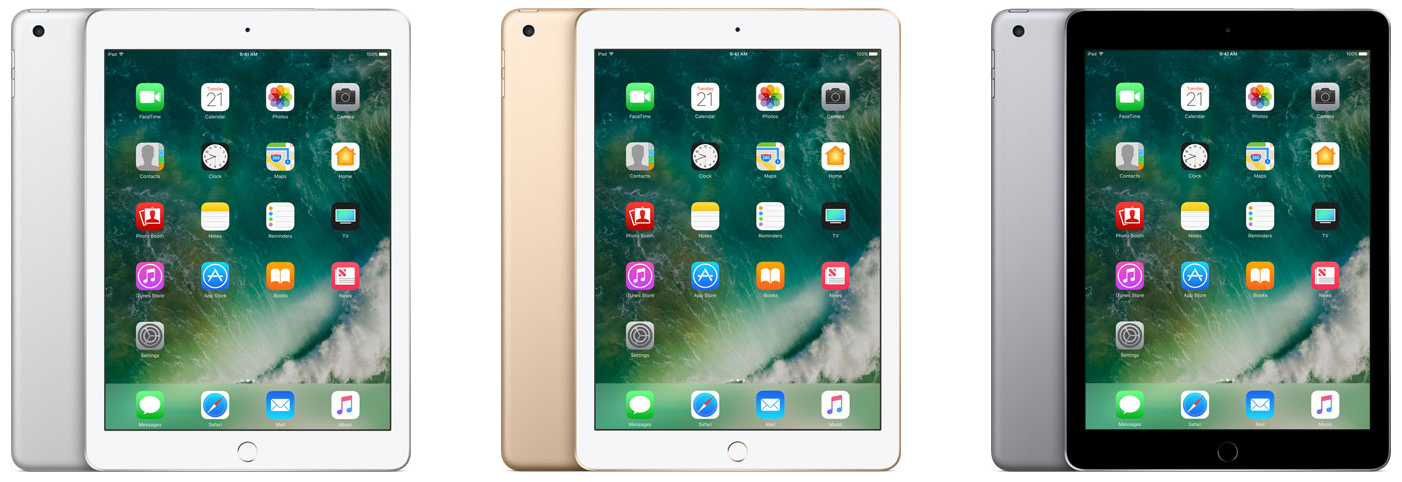
    • 5th Generation (2017): Made a comeback with improved performance and a more budget-friendly price.ipad 5th gen
    • 6th Generation (2018): Added support for the Apple Pencil, opening up new creative possibilities for drawing and note-taking.ipad 6th gen 2018
    • 7th Generation (2019): Increased the screen size to 10.2 inches for more immersive viewing and included a Smart Connector for attaching keyboards. ipad 7th gen
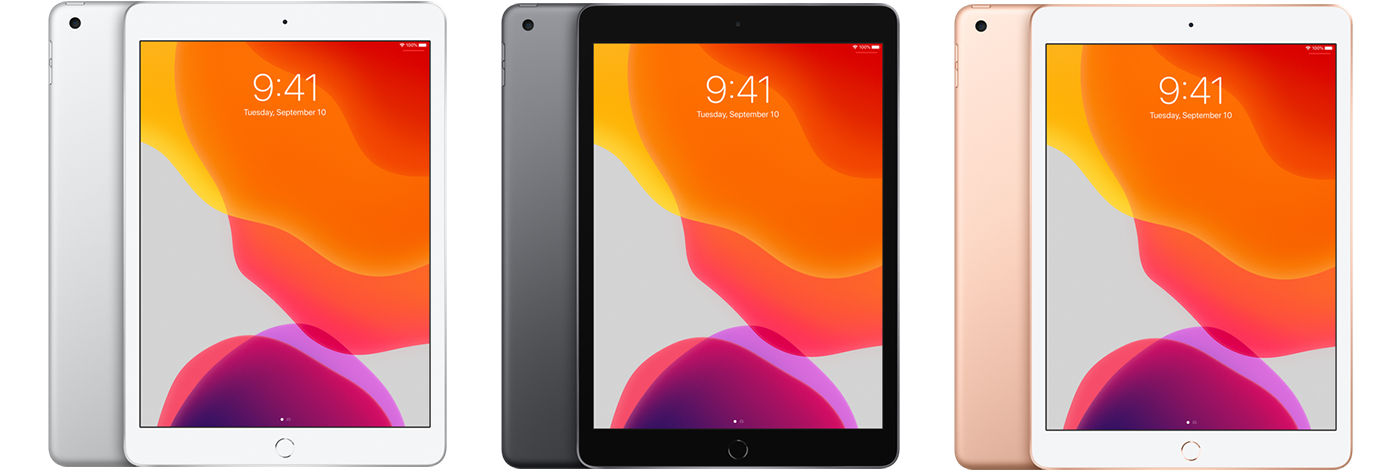
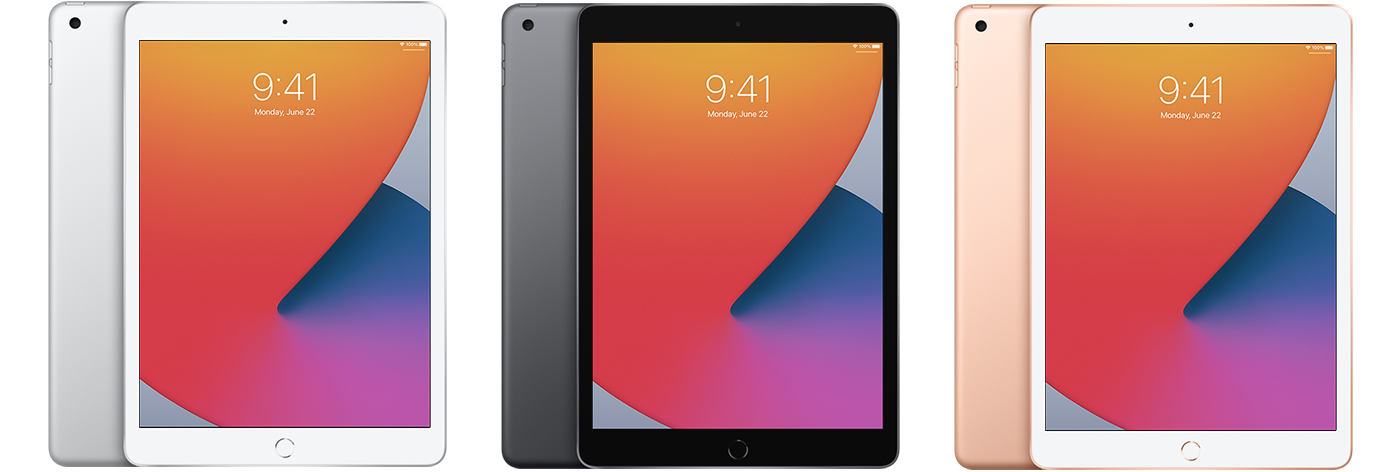
    • 8th Generation (2020): Upgraded to the A12 Bionic chip for a significant performance boost across apps and games.ipad 8th gen
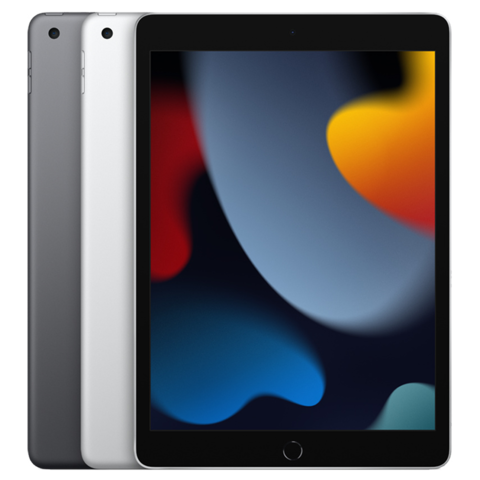
    • 9th Generation (2021): Featured the A13 Bionic chip and an improved front-facing camera for sharper video calls and selfies.ipad 9th gen 2021
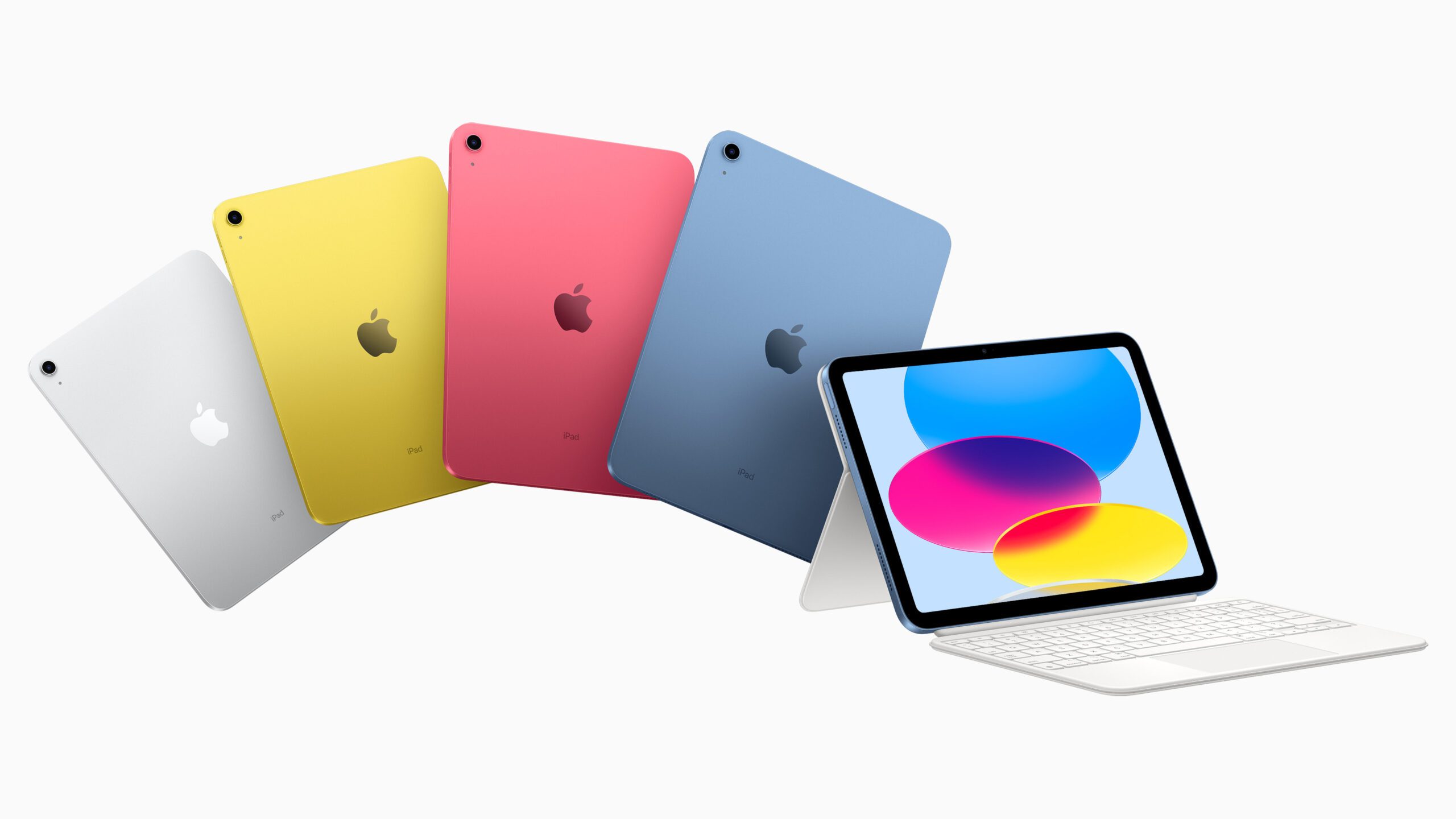
    • 10th Generation (2022): Received a sleek redesign with a larger 10.9-inch display, the A14 Bionic chip for even faster performance, and a convenient USB-C port for versatile connectivity.ipad 10th gen 2022

    When do you think apple will release the 11th Gen?. Let us know in the comments!

    The iPad mini (Power in Your Pocket)

    If you prioritize portability without sacrificing performance, the iPad mini is your perfect companion. Here’s a look at its evolution:

    • 1st Generation (2012): Introduced a smaller 7.9-inch display for ultimate portability while maintaining iPad functionality.ipad mini 1st gen
    • 2nd Generation (2013): Upgraded to a Retina display and the A7 chip for a smoother, more visually pleasing experience.ipad mini 2nd gen
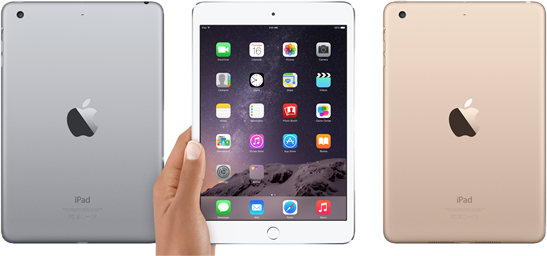
    • 3rd Generation (2014): Added Touch ID for secure login and payments, adding convenience and peace of mind.ipad mini 3
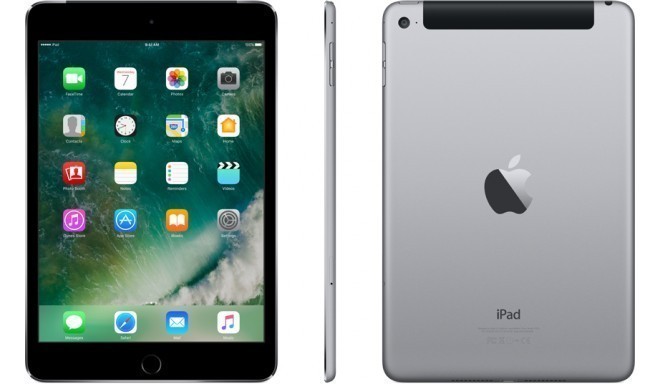
    • 4th Generation (2015): Featured the A8 chip and improved cameras for better photos and videos.ipad mini 4
    • 5th Generation (2019): Brought Apple Pencil support and the A12 Bionic chip, turning the iPad mini into a portable creative powerhouse.ipad mini 5
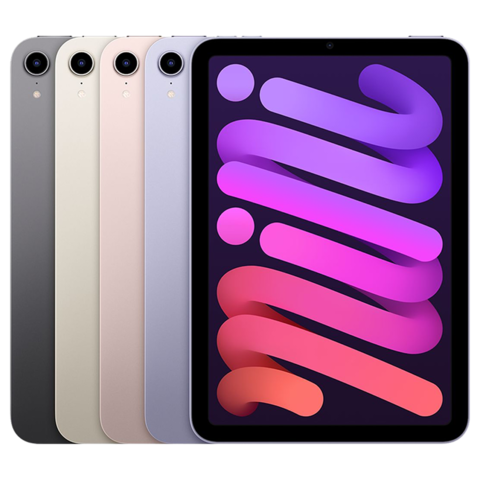
    • 6th Generation (2021): A major redesign with an edge-to-edge display, the lightning-fast A15 Bionic chip, and USB-C for faster charging and versatile connectivity. This is the latest iPad miniipad mini 6 1

    Do you think we could see the iPad mini 7 soon?

    The iPad Air (The Perfect Balance of Power and Portability)

    Striking a sweet spot between the standard iPad and the powerhouse iPad Pro, the iPad Air delivers impressive performance in a lightweight package. Let’s see how it’s progressed:

    • 1st Generation (2013): Introduced a lighter, thinner design compared to the standard iPad, making it more comfortable to hold and carry.ipad air 2
    • 2nd Generation (2014): Added a laminated display for reduced glare and improved image quality, along with the powerful A8X chip for seamless multitasking.ipad air 2
    • 3rd Generation (2019): Made a triumphant return with a 10.5-inch display and the A12 Bionic chip, offering a blend of performance and portability.ipad air 3
    • 4th Generation (2020): Redesigned with an edge-to-edge display for a modern look, with the A14 Bionic chip for impressive speed, and USB-C for flexible connectivity.ipad air 4
    • 5th Generation (2022): Took a significant leap forward with the M1 chip (the same powerhouse found in MacBooks), 5G support for lightning-fast internet on the go and improved cameras for stunning photos and videos.ipad air 5
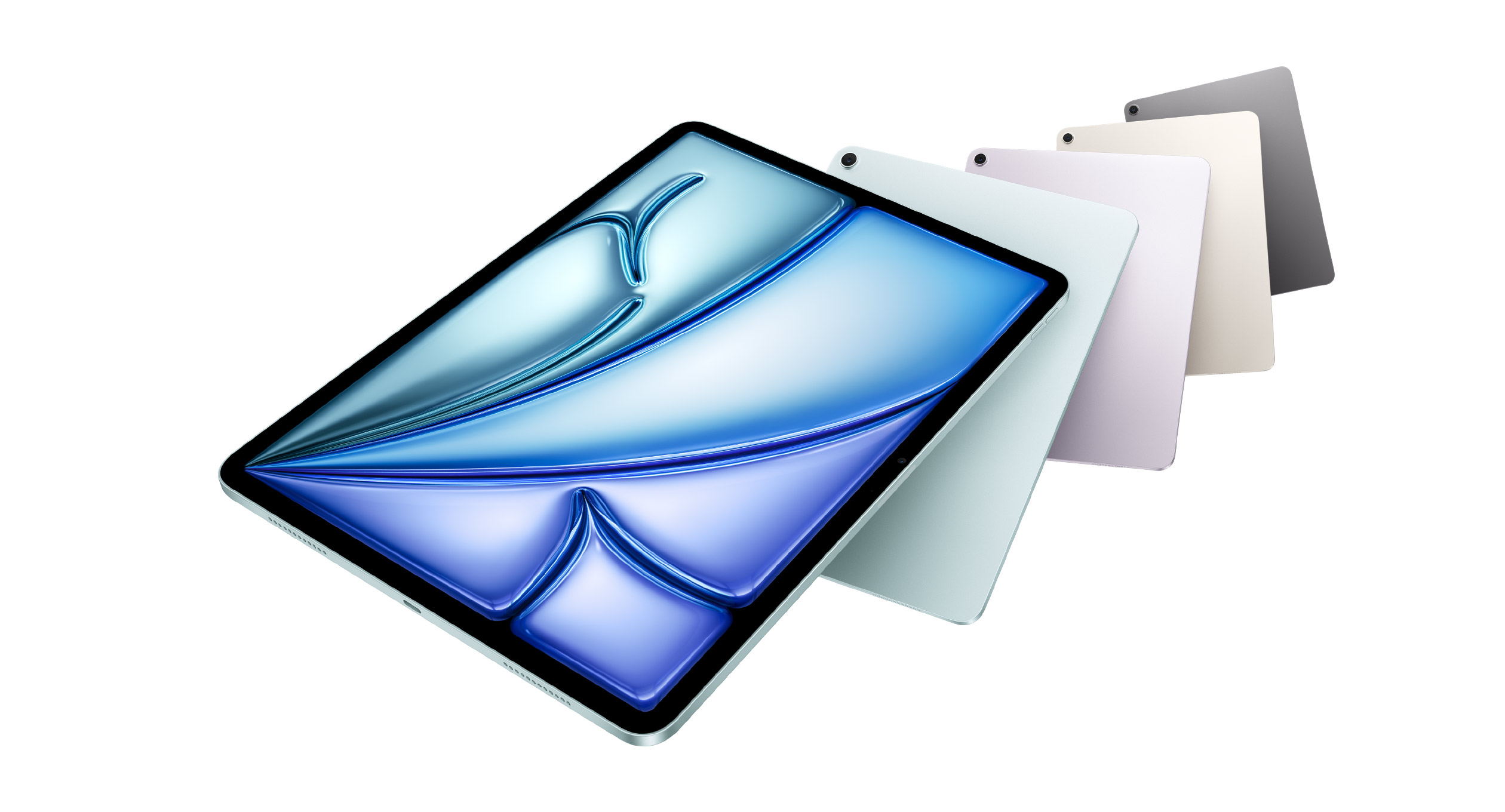
    • 6th Generation (2024): This latest iPad Air model brings two size options: 11-inch and 13-inch. It is powered by the M2 chip for desktop-level performance and features an upgraded front-facing camera that is optimized for landscape use, perfect for video calls. The larger model also boasts landscape stereo speakers with spatial audio for an immersive entertainment experience. This was just released

    The iPad Pro (The Ultimate Creative and Professional Powerhouse)

    The iPad Pro is the pinnacle of iPad technology, designed for professionals, artists, and anyone who demands the absolute best. It comes in two sizes:

    11-inch iPad Pro

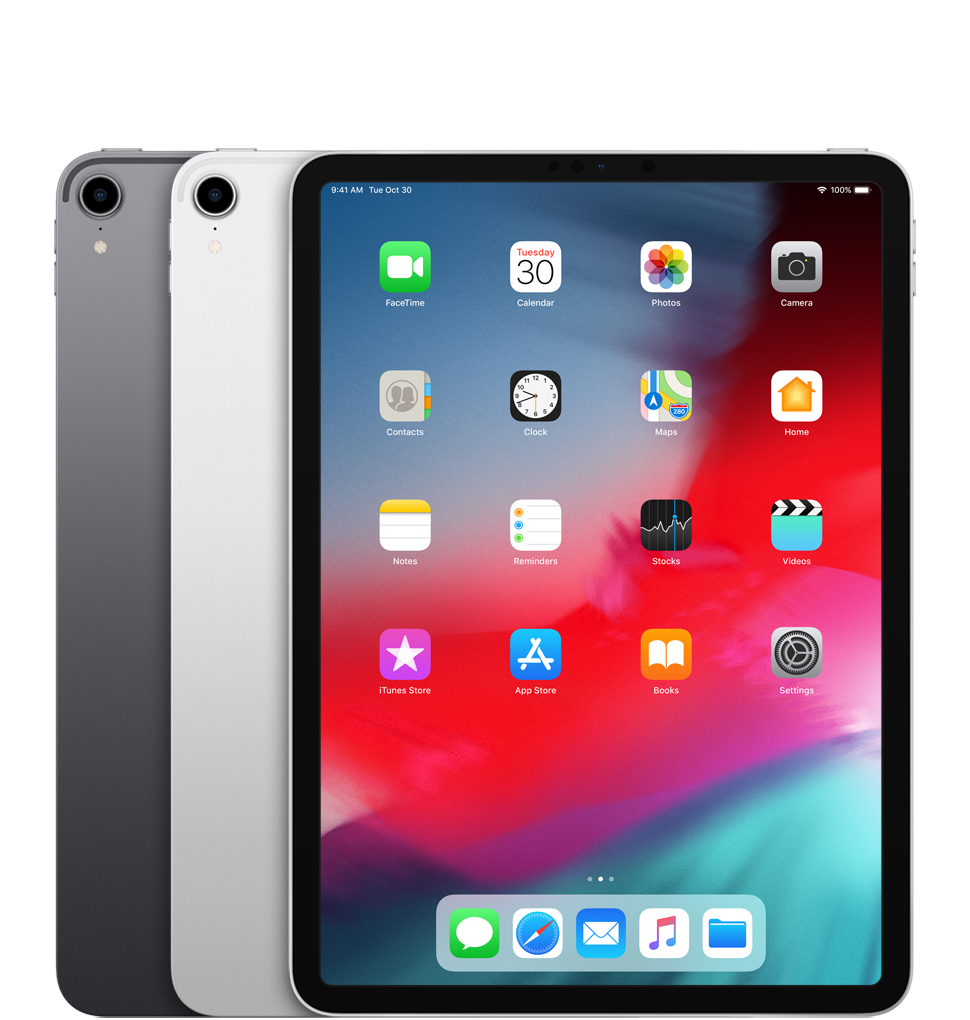
    • 1st Generation (2018): Introduced an edge-to-edge display for an immersive viewing experience, Face ID for secure login and Apple Pay, and the A12X Bionic chip for unparalleled performance.ipad pro 2018
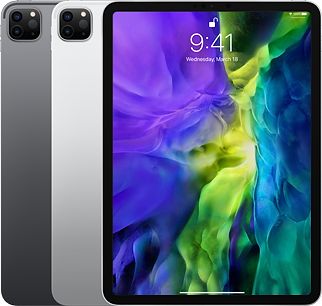
    • 2nd Generation (2020): Featured the A12Z Bionic chip for even more processing power and a LiDAR scanner for enhanced augmented reality experiences and precise depth sensing.ipad pro 11 inch 2nd gen
    • 3rd Generation (2021): Took a massive leap forward with the M1 chip, bringing desktop-class performance to a tablet, and 5G support for ultra-fast internet connectivity.ipad pro 11 inch 3rd gen
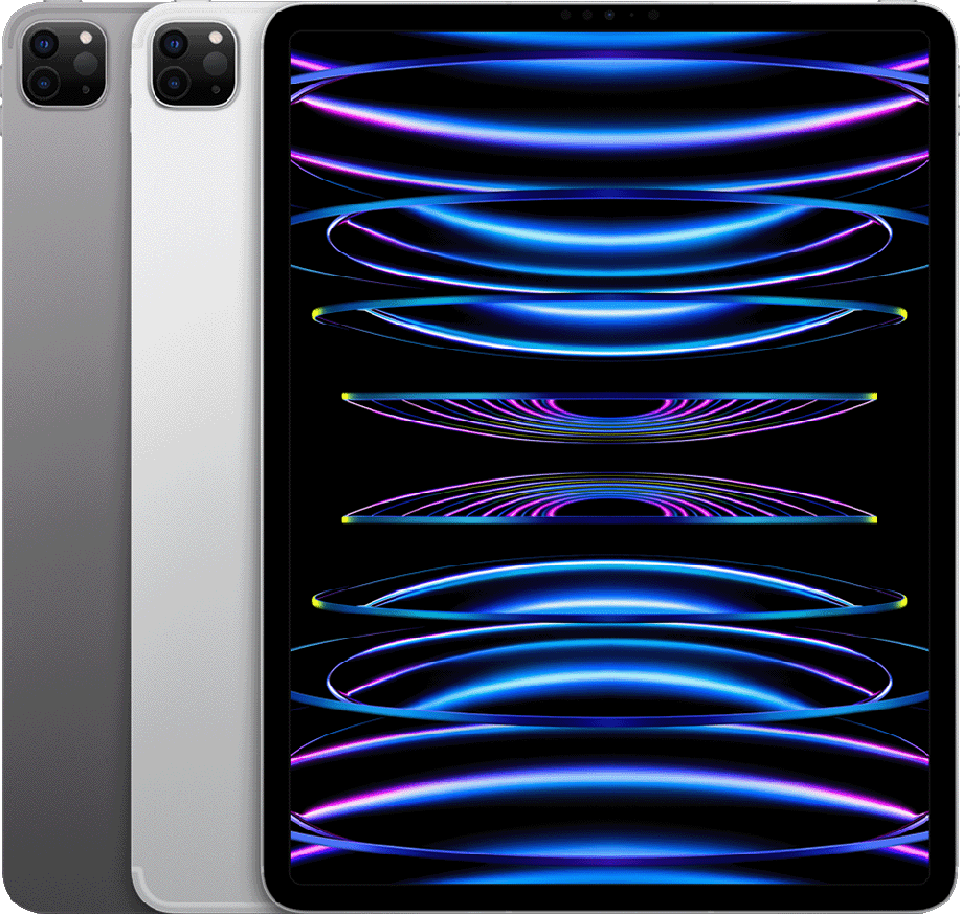
    • 4th Generation (2022): Upgraded to the even faster M2 chip, becoming the fastest iPad ever11 inch ipad pro 4th gen
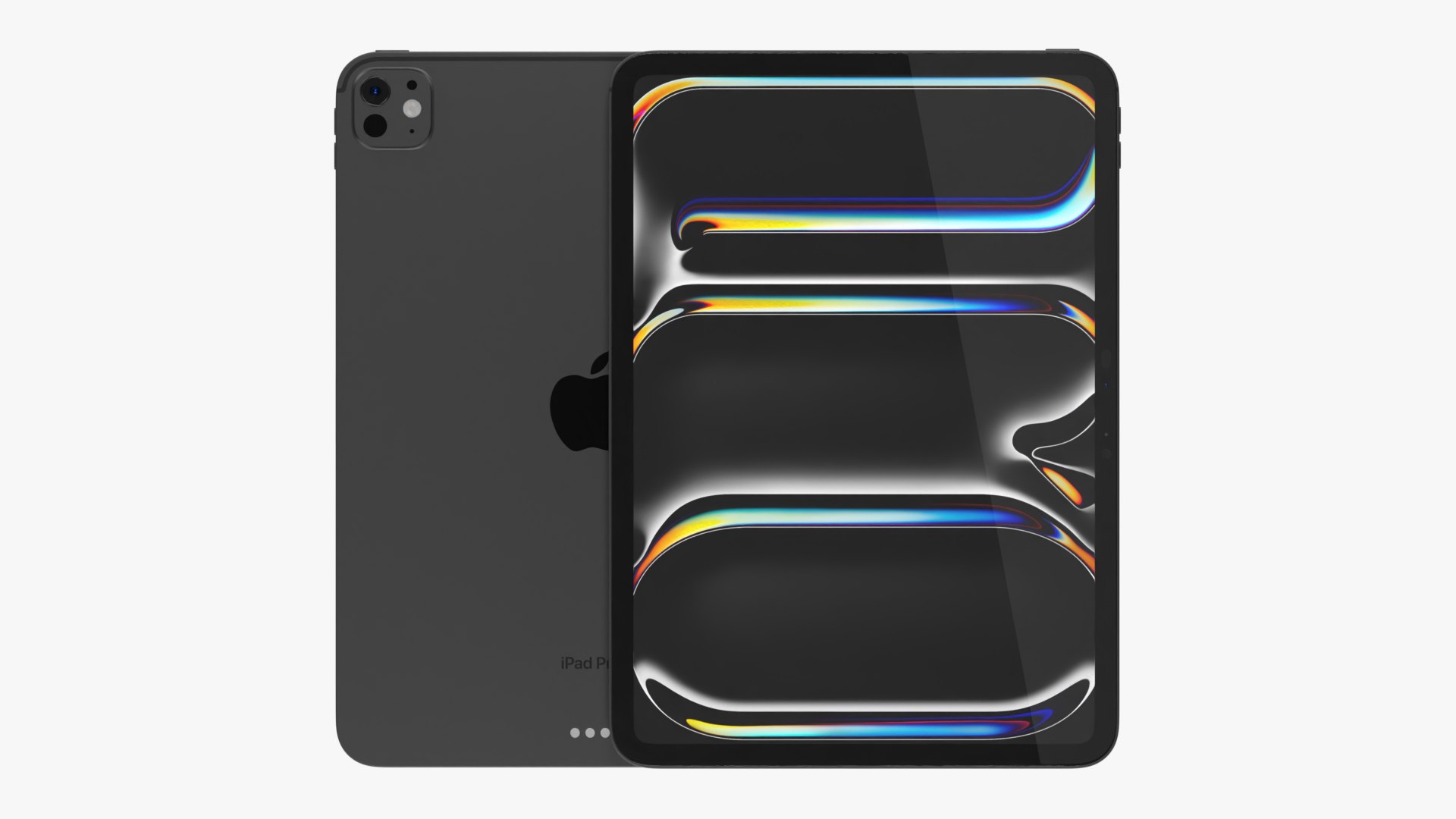
    • 5th Generation (2024): This latest 11-inch iPad Pro model brings the powerhouse M4 chip, offering up to 1.5x faster CPU performance than the M2, making it ideal for demanding tasks like video editing and 3D design. The new chip also enables an all-new display engine for the Liquid Retina XDR display, providing stunning visuals with incredible brightness and contrast. The upgraded front-facing camera, optimized for landscape use, makes it perfect for video calls. This is the latest 11″ iPad Pro.11 inch ipad pro m4

    12.9-inch iPad Pro

    • 1st Generation (2015): Introduced a massive 12.9-inch display aimed at professionals who need a larger canvas for their work.

    • 12.9'' ipad pro 1st gen
    • 2nd Generation (2017): Featured a brighter display for improved visibility a better camera and the A10X Fusion chip for a significant performance boost. 12.9" ipad pro 2nd gen

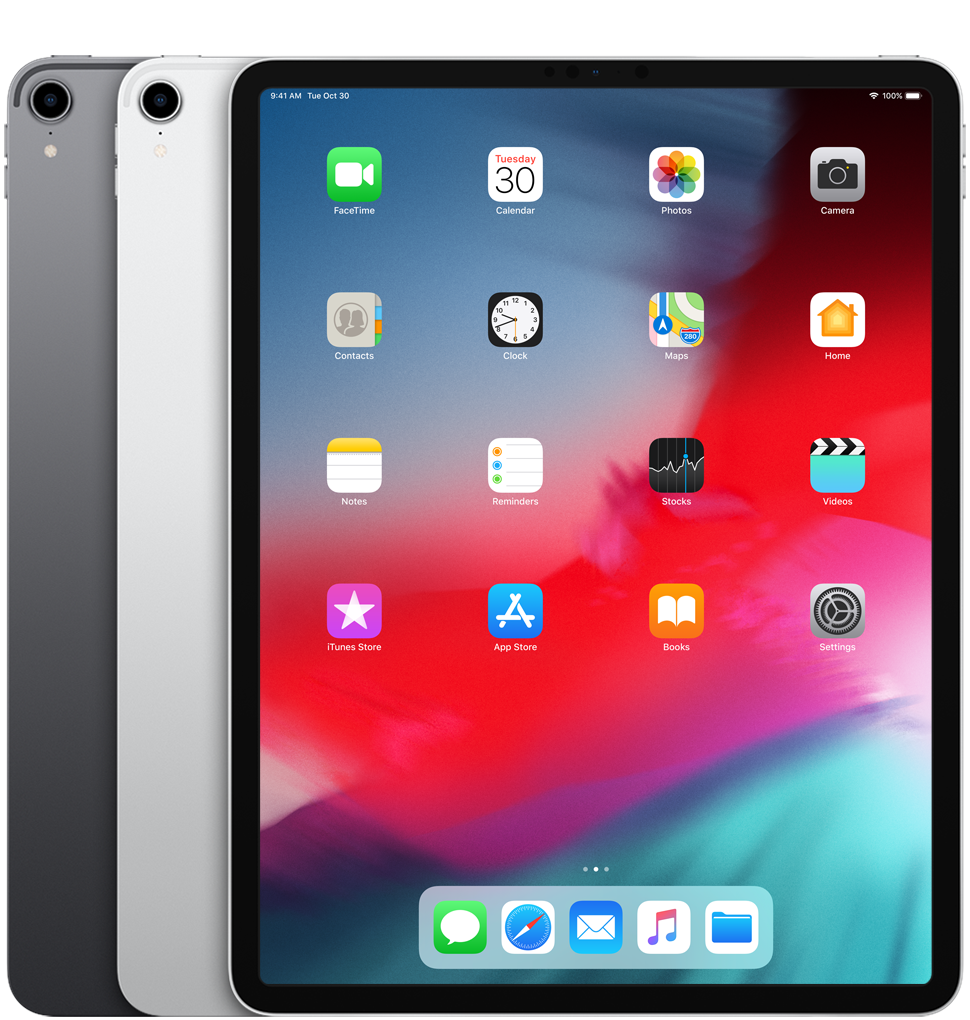
    • 3rd Generation (2018): Introduction of Face ID for secure and convenient device unlocking, and the A12X Bionic chip for exceptional speed and power.12.9" ipad pro 3rd gen
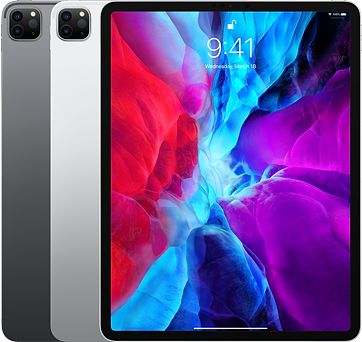
    • 4th Generation (2020): Included the A12Z Bionic chip and an extra camera module and a LiDAR scanner for cutting-edge augmented reality capabilities.ipad-pro 4th gen 12.9
    • 5th Generation (2021): Introduced the M1 chip and a stunning mini-LED display with incredible brightness and contrast for a truly immersive viewing experience. ipad-pro-12-9 5th gen
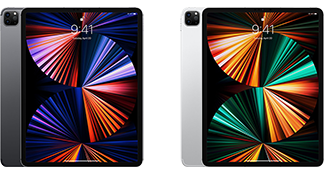
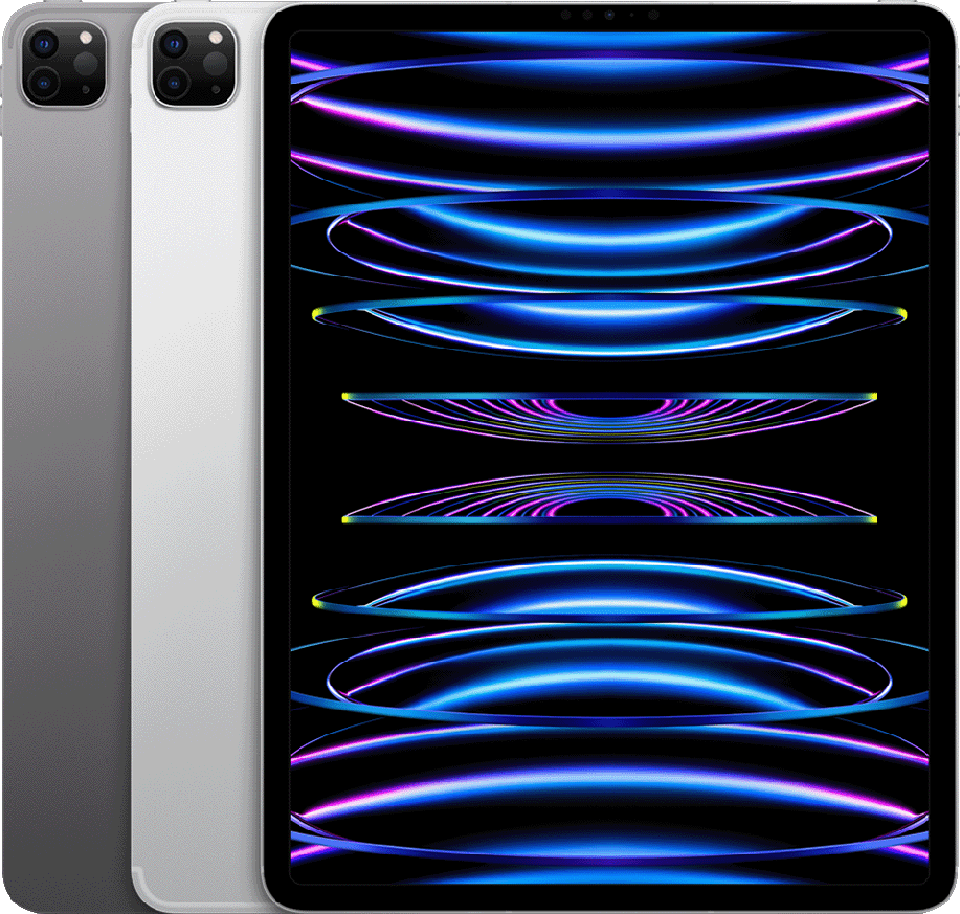
    • 6th Generation (2022): Upgraded to the M2 chip, further enhancing its performance and making it a powerhouse for demanding tasks.ipad pro 6th gen 12.9"

    Which iPad Is Right For You?

    The best iPad for you depends entirely on your individual needs and budget. Consider what you’ll primarily use it for, how important portability is to you, and how much power you need.

    Whether you’re a casual user, a student, an artist, or a professional, Apple has an iPad that’s tailor-made for you. You can shop for an iPad from us by clicking here.

    Let me know if you have any other questions. Ogabassey Never Disappoints!
  • THE Apple M-Series: Which One Do You Actually Need?

    On November 10, 2020, Apple made an announcement that shook the PC world, and since then, things have never been the same. Prior to this announcement, Apple had relied on Intel for the processors that powered its MacBook lineup; the laptops were initially powered by Nvidia graphics cards and later AMD, with many of the budget options getting slightly boosted versions of Intel’s integrated graphics units.

    Well, Apple announced the Apple M1 chip in November 2020, and in so doing, they started a revolution that has significantly influenced the market and may have inspired the recently released ARM-based Snapdragon Elite processors for Windows PC (but this is a story for another day, we promise you).

    The Apple M processor lineup combines raw power with class-leading and unprecedented levels of efficiency—the MacBook can run for hours without needing to be plugged in. There is virtually no performance difference between when it is plugged in or running on battery, making it great for power users who like to be on the move.

    It’s been over three years since THAT announcement and the M series is now in its third iteration (not counting the “Pro,” “Max,” and “Ultra” versions). If you are considering getting a new PC and trying to decide on which MacBook to get, we’ve got you covered. Come closer!

    The Value Champion: M1

    The M1 may be the first generation, but it’s still a powerhouse for everyday tasks.  If you primarily use your MacBook for browsing, email, basic photo editing, or streaming, the M1 offers fantastic performance at a more affordable price.  You’ll also find M1 MacBooks in a wider range of models, including the MacBook Air and the entry-level MacBook Pro.

    M1 Perfect for:

    • Students and casual users
    • Web browsing, email, and document editing
    • Basic photo editing and streaming

    Looking for More Muscle? M2

    The M2 steps up the game with a performance boost, particularly for graphics-intensive tasks.  Content creators who do light video editing, gamers who play moderately demanding titles, and coders who work with complex projects will appreciate the extra power. The M2 is also available in a wider variety of configurations, allowing you to tailor RAM and storage to your needs.

    M2 Perfect for:

    • Content creators (light video editing)
    • Gamers (moderately demanding titles)
    • Coders (complex projects)
    • Users who want a future-proof option

    The Cutting Edge: M3

    The M3 boasts the latest and greatest in Apple silicon.  If you’re a professional video editor working with demanding 4K or 8K footage, a 3D artist rendering complex models, or a musician running large sample libraries, the M3 offers the most power and efficiency.  Keep in mind, the M3 currently comes at a premium price and is only available in select MacBook Pro models.

    M3 Perfect for:

    • Professional video editors (4K/8K editing)
    • 3D artists and animators
    • Musicians (large sample libraries)
    • Developers working on demanding projects

    These are summarised overview of each lineup but whichever one you decide to get, rest assured, you are getting Apple engineering at its finest. If you already have any Apple devices, including the iPhone, Apple Watch, Apple AirPods, etc., the MacBook offers some ecosystem benefits that will further enhance your experience.

  • Factory Unlocked iPhones: Explained

    When shopping for a new iPhone, you might see the term “factory unlocked.” What does this mean, and why should you care? In this guide, we’ll explain everything about factory unlocked iPhones.

    What is a Factory Unlocked iPhone?

    A factory unlocked iPhone is a phone that is not locked to any network. It was bought from Apple or an authorized store. This means you can use it with any network provider by simply changing the SIM card. These phones are unlocked permanently, even after software updates.

    Advantages of a Factory Unlocked iPhone

    1. Carrier Flexibility: You can choose any carrier you like. Switch between MTN, GLO 9mobile etc International Carriers like AT&T, Verizon, T-Mobile, or any other carrier would work perfectly.
    2. International Travel: Use a local SIM card when you travel. This saves you from high roaming fees and gives you better service.
    3. No Contracts: You’re not tied to a long-term contract. Change carriers or plans anytime without penalties.
    4. Higher Resale Value: Unlocked iPhones sell for more money. Buyers prefer the flexibility of an unlocked phone.
    5. Dual SIM Capability: Factory unlocked iPhones often support dual SIM functionality. This can be in the form of dual physical SIMs or a combination of one physical SIM and one eSIM. This allows you to use two different numbers on the same device without compatibility issues.
    6. Network Compatibility: Make sure the iPhone model works with your preferred carrier’s network.
    7. Warranty and Support: Buying from Apple or an authorized store ensures your phone has a warranty and support services.

    How to Identify a Factory Unlocked iPhone

    1. SIM Check: Insert a SIM card from another carrier. If the phone works, it is most likely unlocked. Although it is also possible it is worldwide unlocked. If it doesn’t work then it is Chip Unlocked.
    2. IMEI CHECKER: Use IMEI checkers online to check the lock status. We are currently building our checker on checks.ogabassey.com.
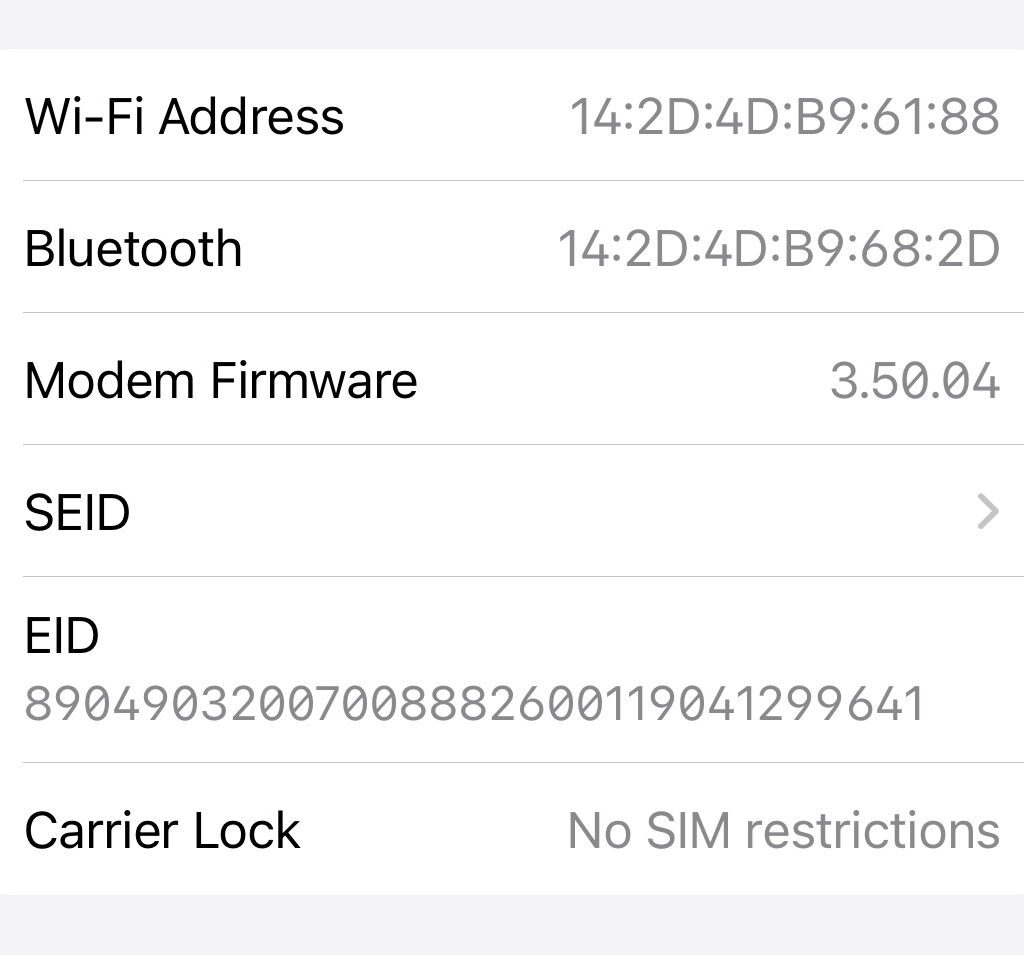
    3. Settings Check: Navigate to Settings>> General >> About >> Carrier Lock If you see “No Sim Restrictions” Then it is factory unlocked
    Factory Unlocked iPhone Check in settings
    Screenshot

    Disadvantages of a Factory Unlocked iPhone

    1. Price: Factory unlocked iPhones can be more expensive upfront. They are more expensive than the carrier-locked iPhones. The benefits and flexibility might be worth the costs
    2. Financing Options: Unlike carrier-locked phones, which often come with financing options, you will need to pay the full price upfront for a factory unlocked phone.

    Conclusion

    Factory unlocked iPhones offer great flexibility. They are perfect for travelers, people who dislike contracts, or anyone who wants the latest updates and high resale value. A factory unlocked iPhone is a smart investment.

    For more information on the best deals and tips on iPhones, visit ogabassey.com.

  • 8 Ways to Extend Your Phone Life

    There is one undeniable fact: phones are expensive. With the dollar currently competing with NEPA, we are not sure if things are going to ever go back to how they used to be. So, if you are on a budget and you have a functional phone—one that is relatively modern and purring—it will be in your best interest to protect your phone. Fortunately, there are several practical steps you can take to elongate your phone’s lifespan and get the most out of your investment. Here are eight tips to help you do just that

    Invest in a Quality Case and Screen Protector

    Shielding your phone from accidental drops and scratches is crucial for maintaining its pristine condition. A durable case and a high-quality screen protector can provide an extra layer of protection against everyday wear and tear.

    Keep Your Phone Clean:

    Dust, dirt, and grime can accumulate in the nooks and crannies of your phone, potentially causing damage over time. Regularly clean your device using a soft, microfiber cloth and gentle cleaning solutions to remove any debris and maintain optimal performance.

    Optimize Battery Health:

    The battery is often the first component to show signs of wear in a smartphone. To prolong its lifespan, avoid overcharging your phone and aim to keep its battery level between 20% and 80%. Additionally, consider using battery-saving modes and limiting resource-intensive tasks to reduce strain on the battery.

    Update Software Regularly:

    Software updates not only bring new features and improvements but also often include crucial security patches and bug fixes. Keeping your phone’s operating system and apps up to date can help ensure smooth performance and protect against potential vulnerabilities.

    Manage Storage Wisely:

    Running out of storage space can slow down your phone and shorten its lifespan. Take the time to declutter your device regularly by deleting unnecessary files, apps, and photos. Consider offloading large media files to cloud storage or external drives to free up space and keep your phone running smoothly.

    Avoid Extreme Temperatures:

    Exposure to extreme temperatures, whether hot or cold, can adversely affect your phone’s battery life and overall performance. Avoid leaving your device in direct sunlight or extreme cold for extended periods, as this can cause irreversible damage to internal components.

    Handle with Care:

    Treat your phone with the care it deserves to prevent physical damage and internal issues. Avoid exposing it to water, excessive pressure, or sudden impacts, and be mindful of how you handle and transport your device to minimize the risk of accidents.

    Consider Professional Maintenance:

    If you encounter persistent issues or notice a significant decline in performance, don’t hesitate to reach out to Ogabassey Repairs. We can help you diagnose and address underlying problems, potentially saving you from more costly repairs or premature replacement. We have got you!

    By following these tips, you can extend the lifespan of your phone and enjoy its benefits for years to come. Remember, a little care and maintenance can go a long way in preserving the functionality and value of your device. So, take the time to implement these practices into your routine and reap the rewards of a longer-lasting smartphone experience.

  • MYTHBUSTER: 5 Myths about Airplane Mode

    One of the ubiquitous features on our phones (and laptops) is Airplane Mode. For a lot of us, it’s our go-to feature to fix network issues; just toggling the switch can be the difference bee for those who travel by air, it’s one of the toggles they activate when flying. While its primary purpose is clear – to disable cellular and Wi-Fi connectivity during flights – several myths surround its functionalities and effects. Let’s shed light on these common misconceptions:

    Myth 1: Airplane mode significantly saves battery life.

    Reality: While it’s true that searching for signals can drain your battery, the impact is often exaggerated. Modern phones are optimized to minimize network-related battery drain. Airplane mode might extend your battery life by a small margin, but it won’t offer a dramatic boost, especially if you’re actively using other features like games or the camera.

    Myth 2: Airplane mode prevents your phone from getting hacked.

    Reality: Airplane mode primarily affects connectivity, not security. While it disables communication with external networks, it doesn’t offer any inherent protection against malware or malicious websites you might encounter if you’re still using Wi-Fi or Bluetooth. Always ensure you have reliable security software installed and practice safe browsing habits.

    Myth 3: Airplane mode is required for faster charging.

    Reality: This is another misconception. Modern fast charging technologies work independently of airplane mode and can efficiently recharge your phone even with network connectivity enabled. In fact, enabling airplane mode might add minimal charging time in certain scenarios.

    Myth 4: Airplane mode wipes out downloaded content like movies or music.

    Reality: Airplane mode only affects how your phone connects to external networks. Any content you’ve downloaded and stored on your device beforehand remains accessible, even when airplane mode is enabled. You can freely enjoy movies, music, podcasts, and other downloaded content during your flight.

    Myth 5: Airplane mode is unnecessary because devices don’t Interfere with aircraft systems

    Reality: While modern devices are designed to minimize interference, Airplane Mode remains a precautionary measure. It ensures that no unexpected signals disrupt the intricate communication systems aboard aircraft, contributing to overall flight safety.

    In conclusion, Airplane Mode is a versatile tool that goes beyond its initial aviation-focused design, So, the next time you activate Airplane Mode, remember that you’re not just preparing for takeoff – you’re unlocking or locking a range of functionalities designed to enhance your device’s performance.

    Which one had you fooled? Tell us in the comment section.

  • Maximizing Mobile Storage: Practical Tips for iPhones and Samsung Devices

    In the era of ever-evolving smartphones, storage space has become a valuable commodity. Whether you’re an iPhone enthusiast or a dedicated Samsung user, running out of storage can be a frustrating experience. Fortunately, there are several strategies you can employ to optimize and expand your device’s storage capacity. In this blog post, we’ll explore practical solutions for resolving storage issues on both iPhones and Samsung devices. But, let’s be honest, it’s 2024, and you shouldn’t be using a phone with storage of less than 128GB

    iPhones

    • Utilise iCloud Storage

    One of the easiest ways to free up space on your iPhone is by taking advantage of iCloud storage. iCloud allows you to store photos, videos, and documents in the cloud, keeping them accessible from any device while freeing up valuable space on your phone. To enable iCloud, go to Settings, tap on your Apple ID, select iCloud, and choose the apps and data you want to store in the cloud.

    • Optimise iPhone Storage

    Your iPhone comes with a useful feature called “Optimize iPhone Storage,” which automatically manages your photo and video storage. When enabled, it stores full-resolution photos and videos in iCloud while keeping smaller, device-friendly versions on your iPhone. To activate this feature, navigate to Settings > Photos > Optimize iPhone Storage.

    • Review and Delete Unused Apps

    Over time, you may accumulate a collection of apps that you rarely or never use. Go through your apps and delete the ones you no longer need. To do this, press and hold the app icon on your home screen until it starts shaking, then tap the “X” button to delete. You can always re-download apps from the App Store if needed.

    • Clear Safari Cache and Data

    The Safari browser can also contribute to storage issues as it stores website data and caches. To clear this data, go to Settings > Safari > Clear History and Website Data. This action will remove website history, cookies, and other browsing data, creating more space on your iPhone.

    Samsung Phones

    • Uninstall Unused Apps

    As with iPhones, unused apps can contribute to storage woes on Samsung devices. Go through your app drawer and uninstall apps that you no longer use. Simply press and hold the app icon, then select “Uninstall” or drag it to the “Uninstall” option.

    • Manage Offline Maps and Files

    If you use offline maps or download files for offline use, these can take up a considerable amount of space. Go to Settings > Connections > Data usage > Download booster and review and manage your offline maps and files to free up storage.

    • Clear App Cache and Data

    Over time, apps accumulate cached data that can take up a significant amount of storage. Navigate to Settings > Apps, select the app you want to manage and choose “Storage.” Here, you can clear the cache or even delete the app’s data if it’s not critical.

    • Utilise Smart Storage

    Samsung Galaxy devices come equipped with a feature called Smart Storage, which automatically removes unnecessary files, such as cached data and temporary files. To enable this feature, go to Settings > Device Care> Storage > Advanced > Smart Storage, and toggle it on.

    Alternatively, you can visit our store and swap your phone for one with higher storage.

  • 4 SIMPLE TIPS TO TAKE BETTER PICTURES ON YOUR SMARTPHONE

    Welcome to the ever-evolving realm of Smartphone Photography in the year 2024. Technological strides have propelled this art form to new heights, particularly with the advent of groundbreaking innovations like computational photography. In today’s fast-paced world, capturing images reminiscent of budget laptop webcams is simply unacceptable. Elevate your photography game with the following techniques, transforming you from an amateur enthusiast to a skilled boss-level shooter.

    Steer Clear of Flash Photography

    Let’s kick things off with a bit of controversy. While flash can be a lifesaver in low-light situations, its drawbacks often outweigh the benefits. The harsh and unnatural lighting it produces, coupled with color washout and the dreaded red-eye effect, can detract from the overall quality of your photos. Opt for natural or ambient light whenever possible to achieve more authentic and visually appealing results.

    Optimize Lighting Conditions

    The pivotal role of lighting in photography cannot be overstated. Even the most advanced smartphones may struggle in suboptimal lighting. Embrace natural light, especially during the golden hour (early morning or late evening), to infuse your images with a soft and flattering glow.

    Discover Flattering Angles

    Unless you’ve hit the genetic jackpot, everyone has a preferred angle that showcases their best features. Make a conscious effort to capture your subjects from their most flattering perspectives. This simple adjustment can significantly enhance the overall quality of your photographs.

    Maintain a Clean Lens

    It may sound surprising, but maintaining a clean lens is a game-changer. Smartphones, regardless of their design, have an uncanny ability to attract dust and grime. Cloudy lenses can adversely impact your photo quality. Regularly cleaning your camera lenses will ensure that your smartphone performs at its best, delivering crisp and clear images.

    Share the model of your smartphone in the comment section, and we’ll provide you with personalized tips to unlock its full photographic potential.

  • Four Features to Look out for in the New Samsung S24

    In the dynamic landscape of tech rivalries, where giants like Intel and AMD, Microsoft and Google, AMD and Nvidia fiercely compete, none has captivated the mobile phone industry quite like the ongoing saga between iPhone and Samsung. As the Android ecosystem’s de facto representative, Samsung is the perpetual contender that inevitably enters discussions comparing smartphones to Apple’s iconic iPhone. The iPhone 15 Pro Max has earned accolades, with many reviewers hailing it as the phone of the year. However, emerging reports and leaks surrounding the Samsung S24 series, especially the S24 Ultra, indicate that Samsung is poised to outshine, outsmart, outspec, outperform, and crush the competition. Here are four compelling aspects that the S24 series brings to the table in its quest to reclaim the title from Apple:

    Galaxy AI

       In the wake of 2023, the tech realm witnessed the rise of AI, with generative AI becoming a prominent buzzword. Smartphone manufacturers swiftly incorporated AI features into their devices, exemplified by the Google Pixel 8 and 8 Pro showcasing groundbreaking AI capabilities in photography and productivity. Reports now suggest that the Galaxy S24 might introduce features allowing users to manipulate photos by moving or removing people and objects, expanding image backgrounds, erasing elements from videos, and employing AI to enhance stabilization and reduce graininess. For content creators, this could mark an opportune moment to explore the Samsung side of the mobile experience.

    The Exynos Makes a Return

       Traditionally, Samsung has released two versions of its series, equipping one with its in-house Exynos processor and offering a Qualcomm-manufactured Snapdragon processor for specific markets like the US. Amidst controversies regarding the efficiency and performance of the Exynos, reports indicate that the vanilla S24 and S24+ will feature the Exynos processor, while the S24 Ultra will boast the top-of-the-line Qualcomm Snapdragon 8 Gen 3 processor. This strategic move aims to cater to diverse market preferences and enhance overall performance.

    Revamped Camera System

       While speculation suggests minimal hardware upgrades beyond the zoom lens for the S24 series, Samsung’s prowess in computational photography sparks anticipation for improved photo and video capabilities. Leveraging advanced computational techniques, the S24 series is expected to deliver enhanced visual experiences, building on Samsung’s established reputation for cutting-edge camera systems.

    Class-Leading Screen

       Even Samsung’s harshest critics concede that the company equips its phones with some of the market’s best screens. The S24 series is set to introduce a new iteration of Samsung’s highly acclaimed AMOLED display, boasting up to 2500 nits of brightness. Notably, reports indicate a significant upgrade with a 144Hz refresh rate, surpassing the 120Hz available on the S23. Samsung’s commitment to top-tier hardware remains evident, promising a visually immersive experience for users.

    As Samsung maintains a degree of secrecy leading up to the January 17th launch date, tech enthusiasts are eagerly awaiting further revelations. Stay tuned with us, as we promise to keep you updated on the unfolding developments in the smartphone arena.

    Will you be buying the Samsung S24, which feature do you look forward to the most, tell us in the comment section

  • 4 Signs You Need a New Phone

    We will be the first to admit that times are hard, and with the Naira on its continued quest to discover crude oil, changing your devices wily nilly might not be feasible; you only have to look at the exchange rate to see how unpredictable the gadget market is.  But fewer things can mess up your day than a phone that suddenly dies on you, but more often than not, your phone will give you signs before calling it quits on you. Here are four signs that tell you that your phone needs an upgrade:

    Swollen Batteries

    This is a health hazard waiting to happen. A swollen battery is the first sign that the phone is past its sell date. It is hazardous to continue using a device with a swollen battery. Admittedly, you can easily switch the battery and continue using the phone; however, what are the chances that you will get OEM-sanctioned b

    Battery Woes: The Unreliable Lifespan

    Few things are more frustrating than a phone that can’t hold a charge. If you’re constantly tethered to a charging cable or anxiously watching your battery percentage plummet, it’s a clear signal that your device’s battery is deteriorating. With technological advancements in battery life, upgrading to a newer phone can provide you with a more reliable and enduring power source, freeing you from the inconvenience of frequent recharging

    Lags, Unresponsive UI and Slow Response

    A noticeable decline in performance is one of the most evident signs that your phone is reaching the end of its usability. If you find your device struggling to launch applications, respond to commands, or execute tasks with the speed it once did, it’s an indication that its internal components are no longer keeping up with the demands of contemporary software. Upgrading to a newer model ensures a smoother and more efficient user experience.

    Pictures Looking like Something Shot on 0.3MP Camera

    For many users, a smartphone’s camera is a critical component. If your once-sharp photos are now marred by blurriness, distortion, or overall reduced image quality, it might be time to invest in a phone with an upgraded camera system. Advancements in camera technology can significantly enhance your ability to capture clear, vibrant memories, ensuring that your device remains a reliable tool for both personal and professional photography.

    At Ogabassey, we’ve got you covered. Take advantage of our Black Friday offer on Friday, 24th November, and enjoy even more enticing deals.

  • Navigating the Samsung Galaxy: A Comprehensive Guide to Choosing Your Next Smartphone

    For smartphone enthusiasts worldwide, Samsung has consistently stood out as a top choice, embodying the epitome of the Android ecosystem. The extensive line-up of Samsung phones caters to diverse needs, making the selection process both exhilarating and daunting. In this guide, we’ll delve into five pivotal factors to consider when embarking on the journey to purchase a Samsung phone, demystifying critical aspects such as the Exynos vs. Snapdragon debate and the costs associated with screen repairs.

    Processor Choices: Exynos vs. Snapdragon

    Samsung employs distinct processors based on regional availability, with Exynos featuring prominently in international versions and Snapdragon dominating the North American market. Users often engage in debates regarding the performance disparities between the two. If you are buying a used phone, it is important to ask the seller which processor powers your device.

    Generally, Snapdragon processors are deemed slightly superior in graphics and overall performance, while Exynos processors may excel in energy efficiency.

    Display Brilliance with a Costly Caveat

       Samsung has earned accolades for its breathtaking displays, characterized by vibrant colours and sharp resolutions. The Galaxy S series, in particular, showcases cutting-edge display technology, including high refresh rates and HDR support. However, the splendour comes with a caveat – repairing a damaged screen can incur costs reaching up to 75% of the phone’s total value. Nevertheless, Samsung remains unparalleled in delivering quality screens, cementing its status as the primary screen supplier for Apple’s iPhone.

    Software Updates and Support

       While OS updates might not be a priority for everyone, the significance of security updates cannot be overstated. Samsung distinguishes itself by providing competitive regular OS upgrades and security updates, contributing to enhanced digital safety. This commitment to software support ensures that users can benefit from the latest features and security measures, fostering a seamless and protected user experience.

    Life Cycle Considerations

       Every journey has its conclusion, and the life cycle of a smartphone is no exception. As of 2023, all flagship models from the Note20 Ultra downwards have reached their End of Life (EOL). If the prospect of limited support concerns you, directing your attention to the S21 series or newer updates would be prudent. Staying abreast of the latest releases ensures a more extended period of manufacturer support and updates for your device.