Tag: iPhone

  • Android or iPhone: Which Is Better for Content Creators in 2025?

    Android or iPhone? Let’s settle this once and for all. If you’re a content creator in 2025, should you be rocking an iPhone or an Android device?

    Whether you’re filming beauty reels, vlogging your day in Lagos traffic, or editing your next viral skit for TikTok, your phone is your production studio. So, choosing the right one isn’t just about team iOS vs. team Android anymore, it’s about which device helps you create faster, easier, and better.

    And while both sides have come a long way, the gap between them has shifted in surprising ways.

    Let’s break down the pros, cons, and honest realities of using an Android or iPhone as a content creator in 2025.

    Camera Quality: iPhone Still Leads in One Key Area

    Both Android and iPhones now have incredible cameras. Period. But they shine differently.

    iPhone (13 Pro Max and up):

    • Shoots consistently clean video.
    • Top-tier colour science and HDR.
    • Dynamic range is fire even in harsh sunlight.
    • Native app (Camera) gives you cinematic mode, ProRes, and top-notch stabilisation with little effort.

    Android (Samsung S24 Ultra, Pixel 8 Pro):

    • More megapixels (hello, 200MP).
    • Better low-light shots with some models.
    • More flexible lenses and manual control.
    • Native 8K support and crazy zoom (which you probably won’t need, but hey).

    Verdict:
    If video is your bread and butter especially for platforms like YouTube and Instagram, iPhone wins for consistency. Android can hit higher highs, but it takes more setup and tweaking to get there.

    Editing Workflow: It’s an Ecosystem Thing

    Let’s talk editing.

    iPhone + MacBook = chef’s kiss.

    • AirDrop your 4K files instantly.
    • Use iMovie, CapCut, or Final Cut for mobile (yes, it’s now on iPad and iPhone).
    • iCloud syncs everything.

    Android + Windows/Chromebook:

    • Samsung’s Quick Share works—most of the time.
    • File transfers can be chunky (especially on mid-range phones).
    • Third-party apps like InShot, VN, and Kinemaster still shine, though.

    Bonus: With iPhones, your videos stay in HEVC or ProRes. Androids often record in formats that aren’t always friendly with editing platforms unless you convert.

    Verdict:
    If you value speed and simplicity, Apple’s ecosystem is hard to beat. Android works, but it takes a bit more tech know-how to set up smooth workflows.


    Accessories & Audio: iPhone Has the Edge—Barely

    Let’s talk audio because good sound is half the battle.

    • iPhone: Pairs easily with wireless lav mics (Rode, DJI). Tons of plug-and-play support. Lightning (or now USB-C) accessories are stable.
    • Android: More universal (thanks to USB-C), but compatibility with certain mics and gimbals is hit-or-miss unless your phone is from Samsung, Pixel, or OnePlus.

    Gimbals? Tripods? LED rigs? Most work cross-platform, but iPhone models still have more accessory-specific support.

    Verdict:
    It’s a close one. iPhone still gets more “creator-first” love from accessory makers. But Android is catching up fast especially Samsung.

    AI & Productivity: Android Is Smarter, But iPhone Is Smoother

    In 2025, AI is baked into everything.

    Android (especially Galaxy AI):

    • Transcript your videos automatically.
    • Live translations while recording.
    • Smart erase, object removals, generative edits on the fly.

    iPhone (with Apple Intelligence):

    • Summarises notes, improves scripts, auto-edits captions.
    • Voice isolation during video calls.
    • But most AI features are still rolling out slowly.

    Verdict:
    If you want next-level AI tools today, Android gives you more flexibility and raw power. But iPhone’s experience feels more polished and less experimental.


    Pricing & Value: Android Is Still the Budget King

    Let’s be real, iPhones aren’t cheap. W highlighted that much here

    • iPhone 15 Pro Max starts around ₦1.8 million
    • Samsung Galaxy S24 Ultra starts around ₦1.3 million

    But here’s the kicker:
    You can get a solid Android content creator phone (Pixel 7, Samsung A74, OnePlus 11) for half that price and still shoot killer content with a bit of skill and good lighting.

    Verdict:
    On a budget? Android has way more options. But if you’re investing in longevity and resale value, iPhone is still a safe bet.


    Final Verdict: Which Should You Pick?

    CategoryWinner
    Video QualityiPhone (more consistent)
    Photo FlexibilityAndroid (more control)
    Editing WorkflowiPhone (ecosystem magic)
    AccessoriesiPhone (wider support)
    AI ToolsAndroid (more advanced)
    Budget OptionsAndroid (more value for money)

    So… Android or iPhone is better for content creators in 2025?

    iPhone if you want a reliable, no-hassle tool that “just works.”
    Android if you want more control, flexibility, and power especially if you’re willing to learn your gear.

    Both can create viral content. The real difference? How much work you want to put in behind the scenes.

    Final Thoughts: Your Phone is Your Studio

    At the end of the day, your smartphone is just a tool. iPhone, Android it won’t make you go viral. But it can make your life easier (or harder) depending on what you create and how you work.

    So, pick the one that fits your style, your budget, and your workflow and then go make content that slaps.
  • Buying a Used iPhone in 2025? How to Avoid Getting Scammed

    The iPhone is expensive, let’s be honest: not everyone has ₦2M+ sitting around for the latest iPhone 16 Pro Max with space-grade titanium and Apple Intelligence this-and-that.

    That is where the used iPhone market, the used market is where deals are sweeter, wallets breathe easier, and you can still flex with an Apple logo or the three camera lenses.

    But before you hit that “Buy Now” button on a “UK used iPhone” from some random Instagram vendor, pause. The used iPhone game in 2025 isn’t as simple as it used to be. We have done a version for phones generally

    Here’s what you need to know so you don’t get played.

    Step 1: iPhone Battery Health is Everything

    Used iPhone sellers will show you the shiny outside, but what’s going on inside the battery is where the real drama lies.

    • Go to Settings → Battery → Battery Health & Charging.
      Look for “Maximum Capacity.” Anything below 85%? You’ll need to charge twice a day. Below 80%? Budget for a replacement battery.
    • Battery replacement can cost anything between ₦70k–₦100k. That “cheap” deal could cost more later. When in doubt though, you can reach out to Ogabassey repair via Instagram and we will get your battery sorted.

    Pro tip: Ask for a screenshot of battery health before buying. If they hesitate? 🚩🚩🚩

    Step 2: Network Lock & Region Warnings

    Chip unlocked phones are not bad

    • Factory Unlocked is what you want. It works with any SIM card, anywhere.
    • Avoid “R-SIM unlock” or “GPP unlock” devices—they can work, but are unreliable after iOS updates.
    • Also beware of Japanese models—they take blurry photos with that shutter sound that never goes away (yes, it’s real).

    When in doubt, ask the seller:

    “Is this factory unlocked and free of iCloud and carrier lock?”

    If they say anything other than “Yes” followed by a screenshot—walk away.

    Step 3: Verify It’s Not Stolen or iCloud Locked

    This one’s huge. Buying an iPhone that’s iCloud-locked is like buying a car with no keys. You’ll never use it.

    Always check the Activation Lock status. Here’s how:

    1. Ask the seller to go to Settings → General → Transfer or Reset iPhone.
    2. Tap Erase All Content and Settings.
    3. If the phone asks for a password after reset, it’s still iCloud locked. Don’t buy it.

    Bonus: You can also check the IMEI number on Here

      Just don’t skip this.

    Step 4: Inspect the Phone Physically (Even Virtually)

    Ask for clear pictures or videos of:

    • The screen (look out for green lines, dead pixels)
    • The back and camera lens (any cracks?)
    • The frame and ports (dents can mean drops)
    • The Face ID or Touch ID (test it—many used iPhones lose this after shady repairs)

    If you’re buying in person, test everything. If online, get a video walk-through or a trusted middleman.

    Final Tips Before You Buy

    • Buy from a known or recommended seller like Ogabassey. Reputation matters more than a ₦10k discount.
    • Check the serial number on Apple’s site to confirm warranty status and specs here.

    Quick Checklist for Buying a Used iPhone in 2025:

    • Battery health is 85% or above
    • It’s factory unlocked
    • No iCloud lock
    • No hardware damage (camera, Face ID, screen)
    • Seller provides receipts or return option

    Buying a used iPhone in 2025 isn’t a bad idea, it’s often the smartest move if you’re on a budget. But in a market full of fakes, locks, shady resellers, and half-dead batteries, you need to shop smart or get scammed fast.

    Do your homework. Ask questions. Don’t let “UK used, clean as new” blind you.

    Because in this economy, every naira counts—and your next phone shouldn’t be a regret.

  • Is the iPhone 13 Still Worth Buying in 2025? A Comprehensive Review

    The iPhone 13, launched in 2021, was a fan favourite for its balance of performance, camera capabilities, and improved battery life. Now in 2025, with newer models like the iPhone 16 dominating the headlines, is the iPhone 13 still a smart buy? The short answer: yes—especially if you’re looking for a reliable, affordable iPhone that still holds its own. It’s probably one of the best upgrade cycle for someone coming from the iPhone XR. It’s almost 4 years since its release, what are the things that make it a great device for a budget-conscious buyer now and how does it fare against older flagships and devices within its price point?

    Performance That Still Packs a Punch

    The iPhone 13 is powered by the A15 Bionic chip, a 6-core CPU and 4-core GPU combo that delivers excellent performance, even in 2025. Whether you’re editing videos, multitasking, or gaming, the iPhone 13 can handle most tasks effortlessly.

    More importantly, it’s running iOS 18 and expected to receive software support until at least 2027. That means users still enjoy Apple’s latest features and security updates.

    Camera That Keeps Up

    The iPhone 13 may not have the triple-lens system of the Pro models, but its dual 12MP wide and ultra-wide cameras still take stunning photos. Thanks to features like:

    • Sensor-shift optical image stabilization
    • Night Mode and Deep Fusion
    • Cinematic Mode for video

    …the iPhone 13 remains a strong contender for content creators and everyday users who want high-quality results without paying flagship prices.

    Battery and Display

    With up to 19 hours of video playback, the iPhone 13’s battery is reliable enough for a full day of moderate to heavy use. The 6.1-inch Super Retina XDR OLED display delivers vibrant colors and sharp details, though it lacks the 120Hz ProMotion refresh rate found in the Pro models and newer iPhones.

    Still, most users won’t notice unless they’re switching from a higher-refresh-rate device.

    How It Stacks Up in 2025

    iPhone 13 vs iPhone 16


    The iPhone 16 brings USB-C, faster performance with the A18 chip, and enhanced camera hardware. However, for many users, these improvements aren’t essential. The iPhone 13 still performs smoothly, takes great photos, and is a lot more affordable in the second-hand and refurbished market

    iPhone 13 vs Pixel 6


    Google’s Pixel 6, launched the same year, offers AI-enhanced photography and a higher-res 50MP main sensor. But the iPhone 13 wins on overall software stability, long-term updates, and ecosystem integration. If you’re an Apple user, the Pixel isn’t likely to lure you away.

    Pros and Cons

    Pros

    Fast A15 Bionic chip
    Great camera performance with cinematic video
    Long battery life
    Ongoing iOS support
     Great value in 2025

    Cons


     No 120Hz ProMotion display
    Lightning port instead of USB-C
    No telephoto zoom or Pro features

    In 2025, the iPhone 13 still delivers exceptional value. With reliable performance, solid camera features, and continued software support, it’s an ideal choice for anyone who wants an iPhone experience without paying top-tier prices. Whether you’re buying your first iPhone or replacing an older model, the iPhone 13 is still very much worth considering.

  • 5 Cool Things You Didn’t Know Your iPhone Can Do

    iPhone? We all love it; from snapping clean photos to flexing on Instagram and replying WhatsApp messages with mad speed. But beyond the usual texting, calling, and scrolling, your iPhone is hiding some lowkey powerful features that most users have never explored. While many smartphone manufacturers are using AI to do the heavy lifting (Apple Intelligence continues to inspire little confidence for now), Apple is doing a lot of things natively!

    Whether you’re using an older iPhone like the 13 or you’ve just upgraded to the 16 Pro Max, here are five things you didn’t know your iPhone can do and trust me, you’ll want to try them immediately!


    1. Back Tap to Do Cool Stuff on your iPhone

    Did you know you can double-tap or triple-tap the back of your iPhone to make things happen?

    With the Back Tap feature, you can:

    • Take a screenshot
    • Launch your camera
    • Open WhatsApp
    • Even turn on your torchlight (very helpful during NEPA drama)

    How to activate it:
    Go to Settings > Accessibility > Touch > Back Tap. From there, choose what action you want for double or triple tap. Boom! Magic.


    2. Scan Documents Like a Boss

    Forget downloading third-party scanner apps. Your iPhone has a built-in document scanner right inside the Notes app.

    Here’s how:

    • Open the Notes app
    • Tap the camera icon
    • Select Scan Documents
    • Hold it over the paper or receipt, your iPhone will crop and adjust automatically

    Perfect for scanning ID cards, handwritten notes, or those last-minute school assignments your younger sibling throws at you. Many smartphones often require a 3rd party app to pull this off!


    3. Use Your iPhone as a Level Tool

    Need to hang a picture or fix a shelf at home? Your iPhone has a level tool that helps you make sure things are straight.

    Just open the Measure app and swipe left to find the Level tool. Place your phone on a surface, and it’ll tell you if it’s properly aligned.

    Useful for DIY projects or small home fixes. No spirit level? No problem. Use your iPhone.


    4. Hide Your Private Photos Like a Pro

    Got sensitive pictures? Maybe bank receipts, ID cards, or just selfies you don’t want others to randomly see when you’re showing a friend a meme.

    You can hide photos in a locked album with Face ID or passcode.

    Here’s how:

    • Go to Photos > Select the picture > Tap the share icon > Hide
    • Then go to Settings > Photos > Use Face ID (or passcode) to lock the Hidden Album

    Now, anyone scrolling through your gallery won’t find those private photos. You’re welcome


    5. Use Siri to Take Photos Hands-Free

    Trying to take a hands-free selfie or family photo but your timer is acting up? Just tell Siri.

    Say, “Hey Siri, take a photo” and the camera will open. While you still have to press the shutter, this is a great shortcut to prep for quick shots.

    Combine it with Voice Control (under Accessibility) and you can say things like “Turn up the volume” to snap a pic (volume up = shutter).


    Conclusion: Your iPhone is Smarter Than You Think

    You paid good money for that iPhone  so why not enjoy every feature it has to offer? These hidden tricks not only make your life easier, but also make you look like a tech wizard in front of your friends and those Android users. With this knowledge, you can also delete a lot of 3rd party apps from your phone while freeing space for apps and personal files that you really need.

    Which one is your favourite?
    And if you found this helpful, share with a friend

  • iPhone 14 Pro in 2025: The Timeless Flagship That Still Holds Its Own

    In the ever-evolving world of smartphones, where annual upgrades are the norm, the iPhone 14 Pro, released in 2022, continues to be a formidable contender in 2025. Despite the subsequent releases of the iPhone 15 Pro and iPhone 16 Pro, the 14 Pro’s robust performance, design, and features have stood the test of time, making it a compelling choice for users who prioritise value and reliability over the latest bells and whistles.​

    Design and Build: A Classic Aesthetic

    The iPhone 14 Pro introduced the Dynamic Island, a novel approach to integrating notifications and activities into the display, enhancing user interaction without disrupting the screen’s aesthetics. Its stainless-steel frame and textured matte glass back exude a premium feel, and while the iPhone 15 Pro transitioned to a lighter titanium frame, the difference in weight is marginal for most users. The 14 Pro’s design remains sleek and modern, holding its own against newer models.​

    Performance: Still a Powerhouse

    Equipped with the A16 Bionic chip and 6GB of RAM, the iPhone 14 Pro delivers exceptional performance that caters to both everyday tasks and demanding applications. While the iPhone 15 Pro and 16 Pro boast the A17 Pro and A18 Pro chips respectively, the real-world performance differences are negligible for the average user. The 14 Pro handles multitasking, gaming, and productivity with ease, ensuring a smooth and responsive experience.​

    Camera Capabilities: Professional-Grade Photography

    The iPhone 14 Pro’s camera system features a 48MP main sensor, a 12MP ultra-wide lens, and a 12MP telephoto lens with 3x optical zoom. This setup allows for versatile photography, from detailed landscapes to crisp portraits. While the iPhone 16 Pro introduces a 5x telephoto lens and enhanced AI-driven photography features, the 14 Pro’s camera remains more than capable for capturing high-quality images and videos.​

    Battery Life and Charging: Reliable Endurance

    With a battery life that supports up to 23 hours of video playback, the iPhone 14 Pro ensures users can go through their day without constant recharging. Although the newer models offer slightly improved battery performance and faster charging capabilities, the 14 Pro’s endurance remains sufficient for most users’ needs.​

    Software Support: Staying Current

    Apple’s commitment to long-term software support means the iPhone 14 Pro continues to receive the latest iOS updates, including security patches and new features. While some advanced AI features introduced in iOS 18 are exclusive to the iPhone 16 Pro due to hardware requirements, the 14 Pro still benefits from a host of enhancements that keep the user experience fresh and up to date.​

    Conclusion: A Smart Choice in 2025

    For users seeking a high-performing, reliable, and cost-effective smartphone in 2025, the iPhone 14 Pro stands out as a smart choice. Its enduring design, robust performance, and comprehensive feature set ensure it remains relevant, even as newer models enter the market. Unless specific features of the latest iPhones are essential to your needs, the 14 Pro offers a balanced blend of functionality and value that is hard to beat.

  • Moving On from iPhone XR in 2025: Here’s What to Buy Next?

    If you’re still rocking your iPhone XR in 2025, kudos — you’ve squeezed every drop of value from it! But here’s the hard truth: the XR is finally reaching its sunset. With iOS 19 expected to drop support for the XR later this year, your once-trusty device will no longer receive crucial security updates or the latest features.

    So, what now? Let’s walk you through your best upgrade options — especially now that the iPhone 16 series, including the budget-friendly iPhone 16e, has hit the shelves.


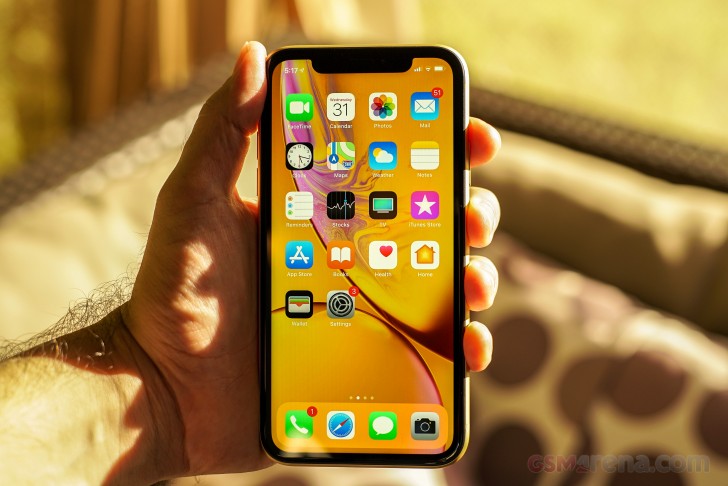
    A picture of the iPhone XR

    The XR Has Had a Good Run

    Launched in 2018, the XR brought Apple’s A12 Bionic chip, Face ID, and a colourful design to the masses. But in tech years, that’s ancient. Here’s what’s happening:

    •  No iOS 19 Support — Reports suggest Apple will not extend iOS 19 support to the XR, XS, or XS Max.
    • No More Security Updates — Without updates, your phone is more vulnerable to bugs and exploits.
    • App Compatibility Issues — As developers optimize apps for newer iOS versions, performance on older devices can suffer.

    Time to upgrade — but not blindly. Let’s compare options.


    Your 2025 Upgrade Options

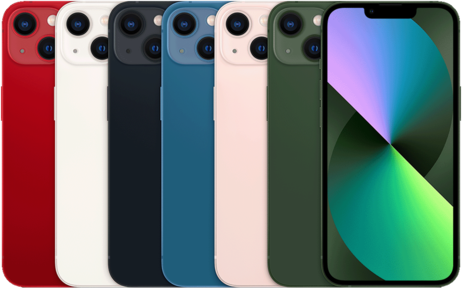
    111872 iphone13 colors 480

     iPhone 13 (2021) – A Solid Mid-Range Choice

    • Chip: A15 Bionic (faster and more efficient than XR’s A12)
    • Camera: Dual camera with Cinematic Mode
    • Pros: Reliable performance, long battery life, still receiving updates until at least 2028
    • Why Upgrade? Great step up without breaking the bank.
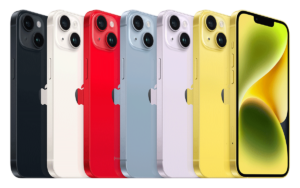
    iPhone14 rangeyellow 300x188 1

     iPhone 14 Plus (2022) – Big Battery, Big Screen

    • Chip: A15 Bionic with better thermal management
    • Pros: 6.7″ screen, huge battery, still “new enough”
    • Why Upgrade? If you want longevity, size, and better low-light photos.

    screenshot 2023 09 12 at 10 38 30 am 1

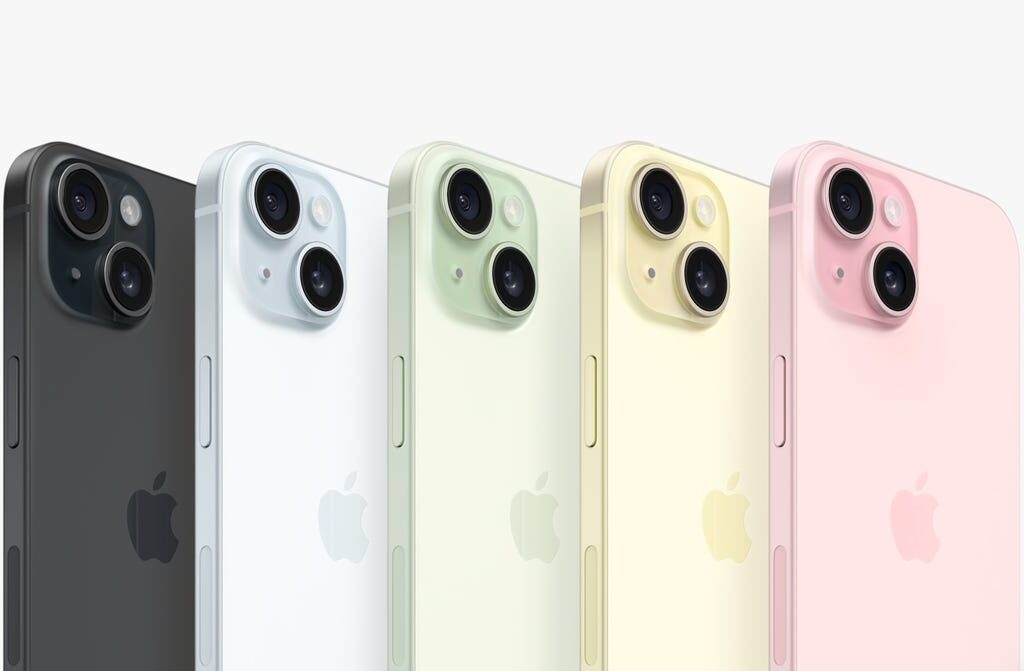
     iPhone 15 (2023) – USB-C + Dynamic Island Comes to Base Models

    • Chip: A16 Bionic
    • Pros: USB-C, brighter screen, Dynamic Island (finally!), improved cameras
    • Why Upgrade? Modern design with future-ready features — but not too pricey.
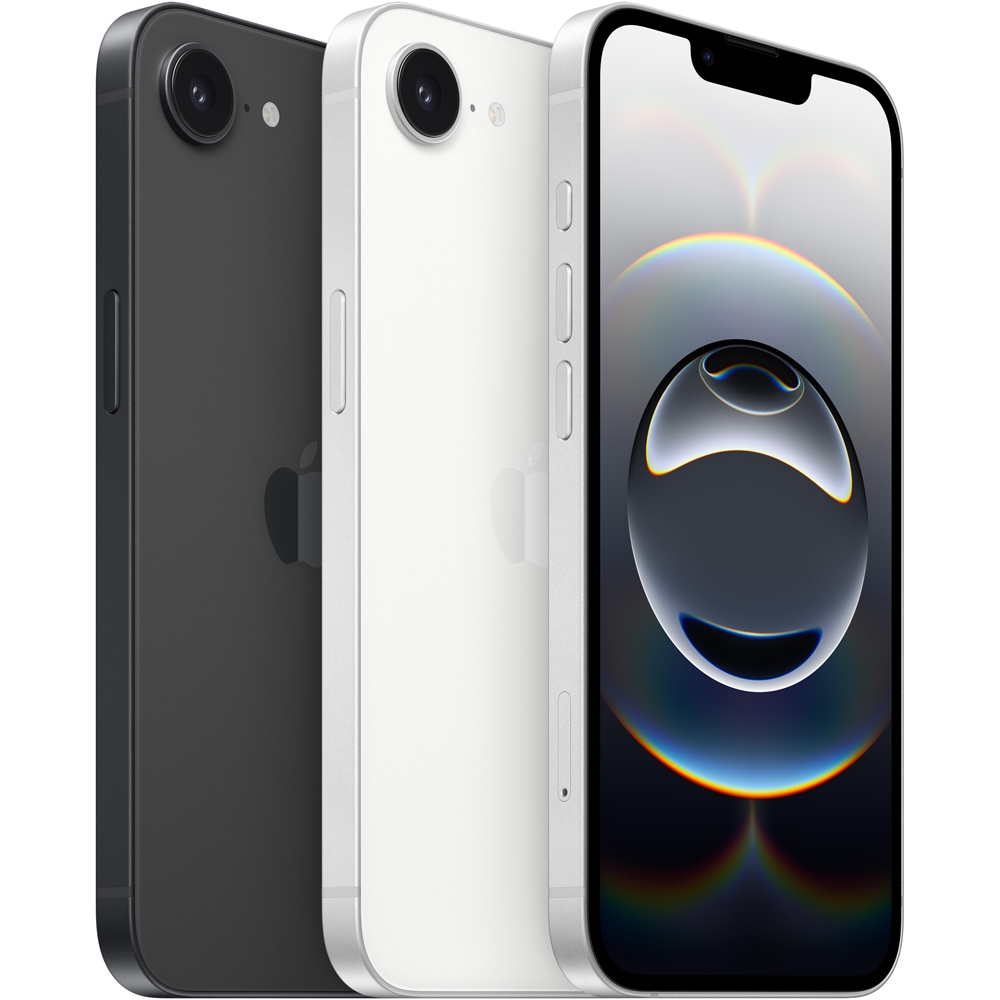
    iphone 16e black 05 568aa3391

    iPhone 16e (2024) – The XR’s Spiritual Successor

    • Chip: A17 Fusion (a slightly underclocked A17 Pro)
    • Pros: Lightweight, colourful, and affordable with many flagship features
    • Battery Life: Optimized for all-day use
    • Why Upgrade? If you loved the XR’s balance of fun + function, the 16e is your next best friend. It’s Apple’s answer to “budget but bold” in 2025.
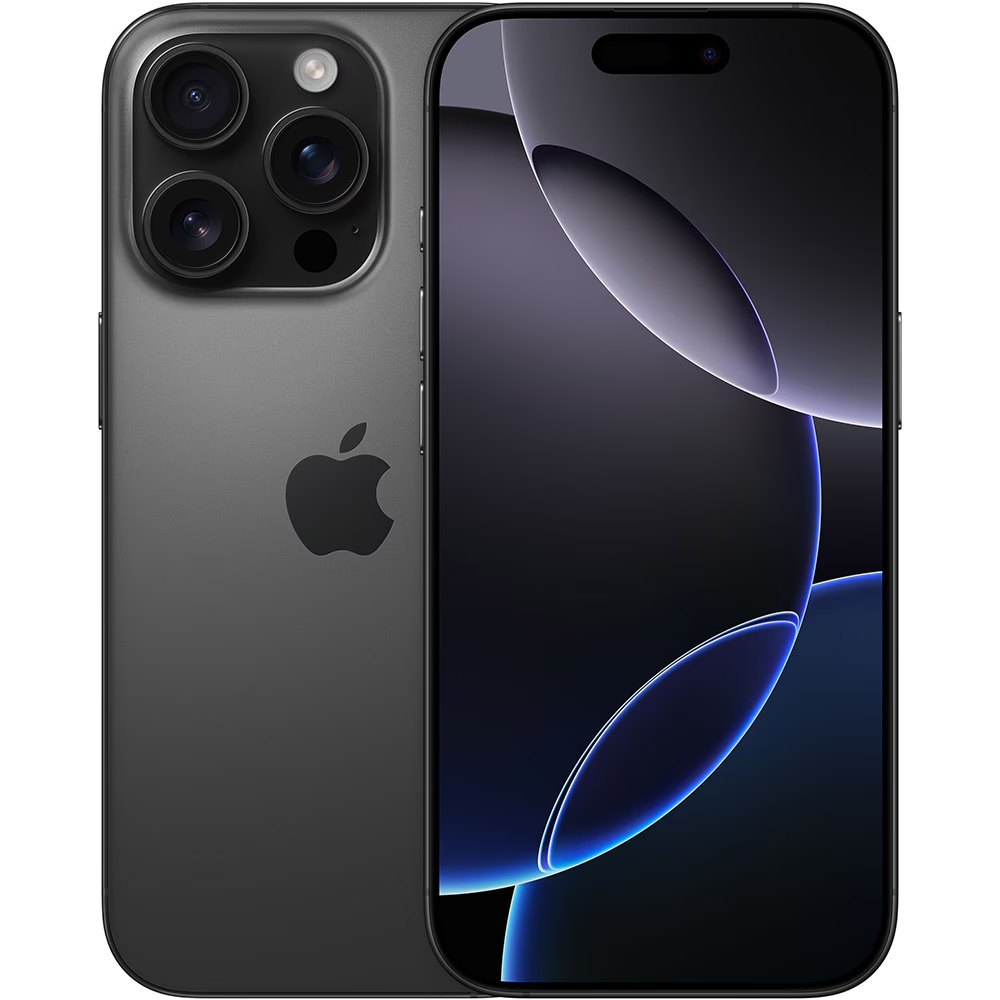
    iphone 16 pro black 1 22012457

    iPhone 16 Pro (2024) – For the Power User

    • Chip: A18 Pro
    • Pros: Best cameras, titanium build, Apple Intelligence features, USB-C
    • Why Upgrade? For creators, multitaskers, or anyone wanting top-tier everything.

    Quick Comparison Chart

    iPhone Model Release Year        iOS Support Ends (Est.)         Ideal For…

    iPhone 13           2021                         ~2028                                                      Reliable upgrade

    iPhone 14+.     2022                            ~2029                                                      Screen lovers

    iPhone 15           2023                            ~2030                                                    Balanced modern choice

    iPhone 16e        2024                             ~2031                                                    XR fans

    iPhone 16           2024                             ~2031+                                                   Creators, power users

    What to Do with Your XR

    Before you make the leap:

    1. Backup Your Data – Use iCloud or Finder on Mac.
    2. Factory Reset – Wipe it clean before selling or recycling.
    3. Sell or Trade-In – Ogabassey will offer you decent value for it.
    4. Repurpose It – Use it as a dedicated music player, camera, or microphone for content creation.
  • How to Choose the Right Storage for Your Phone

    Let’s face it: nothing is more frustrating than trying to snap a quick pic or download a new app, only to be slapped with the dreaded “Storage Almost Full” notification. Whether you’re buying a new phone or just trying to understand what all those GBs mean, choosing the right storage option can save you headaches down the line.

    But how much is enough? Let’s break it down.

    1. Understand What Phone Storage Actually Means

    Your phone’s storage is the space available for everything: your apps, photos, videos, documents, and even the operating system. It’s like the closet of your digital life — and if it gets too full, performance can start to lag.

     Pro tip: The operating system itself usually takes up 5–15 GB, depending on your phone’s brand and model. So, that “128GB” phone? You might only have about 110GB usable.


    2. Know Your Usage Style

    Different users have different storage needs. Ask yourself:

    •  Are you a music hoarder who downloads albums instead of streaming?
    •  Do you take lots of photos and 4K videos?
    • Are you a gamer with graphics-heavy games that eat up 2–5GB each?
    • Do you travel a lot and want your entertainment offline?

    If you answered “yes” to most of these, go for higher storage — think 256GB or more.

    If you mostly use cloud services and stream content, you could get away with 64GB or 128GB.


    3. What About Cloud Storage?

    Cloud storage (like Google Drive, iCloud, or OneDrive) can help free up space, especially for photos and videos. But remember:

     You need a stable internet connection to access files.

    Many cloud options have monthly fees once you go beyond the free tier.

    So, while cloud storage is great for offloading some weight, don’t rely on it entirely — especially if you’re often offline or have limited data.


    4. Futureproofing Is Smart

    Phones are an investment, and many people now use them for 2–4 years. Apps are getting bigger, photo and video resolutions are increasing, and storage needs are only going up.

    So even if you don’t need 256GB right now, you might thank yourself for it in a year or two.


    5. Can You Expand It?

    Some Android phones still come with microSD card slots, letting you expand storage later. iPhones and most modern flagships? Nope — what you buy is what you’re stuck with.

    So, if you’re going for a phone without expandable storage, lean toward higher built-in storage just to be safe.


    TL; DR: What Should You Pick?

    • Light User (calls, browsing, streaming): 64GB–128GB
    • Average User (photos, apps, occasional video): 128GB–256GB
    • Power User (4K videos, games, offline content): 256GB–512GB+
    • Business or Creator: 512GB–1TB (yes, that exists now!)

    Final thoughts? When in doubt, go higher — storage regrets are real, and upgrading isn’t always possible. Better to have too much than not enough!

    Got questions or trying to decide between two models? Drop them in the comments or shoot me a message — let’s find the perfect fit for your digital lifestyle.

  • AI on Smartphones: Game-Changer or Just Hype?

    In the rapidly evolving world of smartphones, artificial intelligence (AI) has become a central feature, promising to enhance user experiences through smarter functionalities. Manufacturers like Samsung and Google have made significant strides in integrating AI into their devices, while Apple has faced challenges in this arena. This raises an important question: Do you really need AI on your phone?​

    The Rise of AI in Smartphones

    AI integration in smartphones aims to provide users with more intuitive and efficient interactions. Features such as real-time language translation, advanced photo editing, and personalized assistance are becoming standard offerings. Samsung’s Galaxy S24 series, for instance, debuted with Galaxy AI, a suite of AI-powered tools developed in collaboration with Google’s Gemini AI. These tools offer functionalities like live foreign language interpretations during calls and AI-driven photo enhancements. ​

    Samsung and Google’s AI Advancements

    Samsung has positioned itself as a leader in mobile AI by integrating advanced features into its devices. The Galaxy S24 series introduced the ProVisual Engine, an AI-powered imaging system that enhances photography through adaptive scene recognition and real-time optimization. Additionally, Samsung’s collaboration with Google has brought features like “Circle to Search,” allowing users to perform searches by simply circling an object on their screen. ​

    Google, on the other hand, has been expanding the capabilities of its Google Assistant, incorporating features like object identification through the device’s camera and support for multiple languages. The Assistant is now available in more than 90 countries and supports over 30 languages, reflecting its widespread adoption and utility. ​

    Apple’s Cautious Approach

    In contrast, Apple has taken a more measured approach to AI integration. While the company announced enhancements to Siri and other AI-driven features as part of iOS 18, these updates have faced delays, leading to scepticism among users and analysts. For instance, the AI-powered version of Siri, initially slated for release in 2024, has yet to materialize, causing some to question Apple’s commitment to AI advancements. ​

    Do You Really Need AI on Your Phone?

    The necessity of AI in smartphones ultimately depends on individual user preferences and needs. For those who frequently engage in tasks like language translation, photo editing, or require personalized assistance, AI features can significantly enhance the user experience. However, some consumers view these AI capabilities as gimmicks rather than essential tools. A report from Mint highlights that many users perceive the current suite of AI features in smartphones as superfluous, with some opting for older models without these functionalities. ​

    Conclusion

    As smartphone manufacturers continue to integrate AI into their devices, the value of these features will vary among users. Samsung and Google have made notable progress in delivering AI-driven functionalities, enhancing user experiences in various aspects. Apple’s more cautious approach reflects its focus on privacy and security, though it has resulted in delays that may impact user perception. Ultimately, whether AI on your smartphone is a necessity depends on how much you value the convenience and capabilities it brings to your daily interactions.​

  • The Ultimate Checklist for Buying a Used iPhone in 2025

    Buying a used iPhone is a great way to save money while still enjoying Apple’s ecosystem. But not all second-hand deals are worth it. Some phones may have hidden defects, poor battery life, or even be locked. To help you make a smart purchase, here’s a checklist of what to check before buying a used iPhone.

    1. Check the Storage Capacity

    A minimum of 128GB storage is recommended. iPhones don’t have expandable storage, so ensure you have enough space for apps, photos, and updates.

    2. Confirm iOS Version & Update Support

    Make sure the iPhone supports iOS 17 or newer for security updates and app compatibility. Avoid older models that might stop receiving updates soon.

    3. Inspect the Battery Health

    Go to Settings > Battery > Battery Health & Charging and check the Maximum Capacity percentage. A healthy battery should be at 80% or higher for decent battery life. If it’s lower, the phone may need a battery replacement soon.

    4. Test Face ID or Touch ID

    For iPhones with Face ID (iPhone X and newer) or Touch ID (iPhone SE, 7, 8), ensure these unlock features work properly. If Face ID isn’t setting up, the phone may have internal damage.

    5. Check for Activation Lock & iCloud Status

    Go to Settings > General > About and see if the iPhone is linked to an iCloud account. If it asks for someone else’s Apple ID, do not buy it—it could be stolen.

    6. Verify IMEI & Carrier Lock Status

    Dial *#06# to get the IMEI number and check it on sites like IMEI.info to ensure the phone isn’t blacklisted. Also, confirm whether it’s unlocked or restricted to a specific carrier.

    7. Inspect the Display & True Tone Feature

    ✅ Check for cracks, scratches, or dead pixels.
    ✅ Test True Tone in Settings > Display & Brightness (if available).
    ✅ If True Tone is missing, the screen may have been replaced with a non-genuine part.

    8. Test the Camera Quality

    iPhones are known for their cameras, so ensure they’re working properly. Open the Camera app and test:
    ✅ Main camera (at least 12MP)
    ✅ Ultra-wide & telephoto lenses (if available)
    ✅ Portrait mode & Night mode
    ✅ Video recording (check for blurry or shaky footage)

    9. Test the Speakers & Microphone

    ✅ Play a song at full volume to check for distortion.
    ✅ Make a call or use Voice Memos to ensure the microphone works well.

    10. Check All Ports & Buttons

    ✅ Test the Lightning or USB-C charging port by plugging in a charger.
    ✅ Inspect the power and volume buttons for responsiveness.
    ✅ If the phone has a physical Home button (iPhone 8 or SE), ensure it clicks properly.

    11. Verify 5G & Network Connectivity

    If you’re buying an iPhone 12 or newer, ensure 5G works with your network. Some models, especially international versions, may have limited band support.

    12. Ask for the Box & Accessories (If Available)

    While not essential, getting the original box, charger, and receipt adds to the phone’s authenticity and resale value.

    Final Thoughts

    Buying a used iPhone can be a great deal if you take the time to inspect it properly. Always check battery health, iCloud status, and hardware functionality before making a purchase. If possible, buy from a trusted seller who offers a warranty or return policy.

    What’s your go-to tip when buying a second-hand iPhone? Let us know in the comments!

  • Battle of the Ecosystems: Apple vs Google vs Samsung – Which One Reigns Supreme?

    In the ever-expanding world of tech, the battle for the best ecosystem is heating up. Whether you’re an Apple purist, a Google loyalist, or a Samsung enthusiast, each ecosystem comes with its own strengths and weaknesses. But which one truly offers the best experience? Let’s break it down.

    Apple Ecosystem: The Walled Garden of Bliss

    Apple’s ecosystem is famous for its seamless integration across devices. If you own an iPhone, MacBook, iPad, Apple Watch, and AirPods, you already know how effortlessly they work together. Features like Handoff, AirDrop, and Continuity make multitasking a dream.

    Why Apple Wins:

    Flawless connectivity – Answer calls and reply to messages on any Apple device.
    Privacy & security – Apple’s strict security policies mean fewer malware threats.
    Long-term software support – iPhones and Macs receive updates for years.

    Where Apple Falls Short:

    Expensive buy-in – Apple products come with a premium price tag.
    Limited customization – Apple dictates how you use its devices.
    No true cross-platform experience – Using Apple products outside the ecosystem isn’t as smooth.

    Google Ecosystem: The Cloud King

    Google’s ecosystem is built around cloud-based services and AI-powered integration. Whether you’re on an Android phone, Chromebook, or using Google Home, Google ensures your data is always at your fingertips.

    Why Google Wins:

    Ultimate cross-platform experience – Works on Android, Windows, iOS, and even macOS.
    Powerful AI integration – Google Assistant is arguably the smartest AI assistant.
    Affordable entry point – Many Google services are free, and hardware is relatively budget-friendly.

    Where Google Falls Short:

    Inconsistent hardware experience – Google makes software first, hardware second.
    Data privacy concerns – Google collects a lot of user data for ad targeting.
    Limited device-to-device integration – Not as seamless as Apple’s ecosystem.

    Samsung Ecosystem: The Best of Both Worlds?

    Samsung is a powerhouse, offering an ecosystem that blends hardware innovation with flexibility. With Galaxy smartphones, tablets, smartwatches, and even home appliances, Samsung aims to compete directly with Apple while maintaining Google’s openness.

    Why Samsung Wins:

    Diverse product lineup – Phones, TVs, wearables, and even smart fridges!
    DeX Mode – Turn your Samsung phone into a desktop-like experience.
    Better hardware options – Foldables, stylus support, and ultra-premium screens.

    Where Samsung Falls Short:

    Software fragmentation – Some Samsung services clash with Google’s.
    Delayed updates – Samsung phones don’t always get the latest Android updates instantly.
    Not as tightly integrated – While improving, Samsung’s ecosystem isn’t as fluid as Apple’s.

    Final Verdict: Which Ecosystem Should You Choose?

    • If you want the smoothest, most polished experience, go with Apple.
    • If you prefer flexibility and AI-driven services, Google is your best bet.
    • If you love cutting-edge hardware with a mix of Apple and Google features, choose Samsung.

    At the end of the day, the best ecosystem is the one that fits your lifestyle. Are you team Apple, Google, or Samsung? Let’s hear your thoughts in the comments!